An integrated payment system is a way of accepting payments in which the payment step is connected to the software you already run your business on, so a sale, an invoice or an order and its payment live in one record instead of two. The connection can be a card terminal linked to a POS, a plugin on an online store, a sync with accounting software or an API that your own developers build on. This guide explains what is inside a payment system, the five ways payments connect to software, how to choose a business payment platform without paying for pieces you will not use, and the questions that show whether a provider really delivers the integration it describes.
The short answer
- A payment system is a chain, not one product. Software starts the payment, a gateway sends it for approval, a processor and card networks route it and a merchant account receives the money.
- Integration is the glue between those links. It decides whether you retype amounts, reconcile two reports by hand or see a paid sale appear on its own.
- There are five common ways to connect. They are a linked terminal, a fully built-in POS, a hosted payment page or payment link, a gateway plugin or API, and an accounting or ERP sync.
- Choose by how you sell, not by feature lists. List where money comes in today, then pick the smallest set of connections that covers it.
- Ask who owns each piece. A tight bundle can mean one support line and also a double change if you ever leave.
What an integrated payment system actually is
Start with the plain version. When a customer pays you, several things happen in about two seconds. Your software or terminal collects the amount and the card or bank details. A payment gateway, which is the software that takes those details, protects them and sends the transaction to be approved, passes them to the processor and the card networks. The customer’s bank approves or declines, and the answer comes back to you. If approved, the money settles into your merchant account, which is the account where approved card sales land before they move to your bank.
That chain exists for every business that takes cards. What makes a system “integrated” is whether the software at the front of the chain talks to the payment at the back. In a non-integrated setup, your cashier rings up a sale in one place and types the total into a separate card machine. At the end of the day someone compares the two totals. In an integrated setup, the amount travels from the sale to the payment, and the result travels back, so the sale shows as paid with no retyping.
The same idea applies away from the counter. An invoice that shows as paid in your accounting tool the moment the customer pays it is integrated. An online order that flips to “paid” when the card is approved is integrated. A subscription that notifies your software when a recurring charge fails is integrated. In every case, the test is the same: when a payment happens, do your other systems find out without a person copying a number?
Payment system solutions: the parts you will be sold
Providers describe their offers with many names, including payment system solutions, payment system services, business payment platform and payment platform. The labels blur, so it helps to break any offer into parts and ask who supplies each one.
- The front end. This is where the payment starts: a POS, a card terminal, a checkout page, an invoice, a payment link or a virtual terminal, which is a secure web page your staff use to key in a card payment from a browser.
- The gateway. This is the door each online or keyed transaction walks through. Some providers bundle it so tightly that you cannot separate it from the merchant account, and others let you choose them independently.
- The processor and merchant account. These move the transaction through the card networks and receive the money. Every integrated setup still needs a merchant account behind it.
- The connections. Plugins, APIs, webhooks and syncs link the payment to your other software. A webhook is a message the gateway sends to your systems when something happens, such as an approved payment, a declined card or a paid invoice.
- The money-side extras. ACH bank payments, recurring billing, surcharging or dual pricing, and the extra data that can lower card costs on business sales.
- Support. One number to call, or several.
A “payment platform” is usually a product that bundles several of these behind one login. A “payment system” is usually the whole chain, whether it comes from one company or five. Neither word tells you what you are getting. The honest way to compare offers is to write down each part above and fill in who provides it. Where a part is blank or comes from a different company, that is where your integration risk sits.
Five ways payments connect to your software
Almost every integrated setup is one of the five below, or a mix. Many businesses use more than one.
1. A card terminal linked to your POS
This is often called a semi-integrated setup. The POS software and the card terminal are two devices that pass information to each other. The POS holds the items, prices, tax and staff and sends the amount to the terminal. The customer dips, taps or swipes on the terminal, and the approval or decline goes back to the POS. The card is read on the terminal, not on the register. Our guide to semi-integrated vs fully integrated point of sale walks through this one sale at a time.
2. A fully built-in POS
Here payment acceptance is part of the POS as one system, usually from one provider, with one place to look for the sale, the payment and the support. The card hardware and the software are designed and sold together. The trade-off is that some POS hardware works with only one processor, so a tight bundle can mean a double change if you ever want to move.
3. A hosted payment page or payment link
The customer clicks a pay button or a link and lands on a secure page run by the gateway. Payment links sent by email or text, QR codes and invoice pay buttons all work this way. Card numbers never touch your website or servers, which keeps your security work lighter, and setup is fast. The trade-off is control, since the checkout follows the gateway’s layout. Our explainer on payment links and invoicing covers how a link works and how it settles.
4. A gateway plugin or API
An integrated gateway connects directly to your website, your e-commerce platform or your own software. It can be a plugin for your store or an API your developers use to build payments into a custom application. Customers pay without leaving your site, your systems can store payment methods for repeat customers and charge subscriptions on a schedule, and webhooks tell your other systems when a payment succeeds or fails. The cost is development time and more security and compliance work for you. Many gateways offer embedded payment fields that sit inside your page but are served by the gateway, which gives a native look while keeping card numbers off your servers. Our guide to choosing a payment gateway: hosted, integrated or virtual terminal compares the three in detail.
5. An accounting or ERP sync
This connects the payment to the system where you keep your books or run your operations. In NPS’s own description of its QuickBooks connection, a two-way sync means invoices, customers, products and pricing stay consistent in both directions and payment status flows back, so payments are recorded and reconciled without double entry. Many integrations are one-way or partial, so ask exactly what syncs and in which direction. See QuickBooks payment integration and Smart Invoicing and ClickBillR for the accounting side, and ERP payment processing for high-volume companies running their payments from an ERP system.
What an integration changes in everyday work
The five connections are easier to judge when you picture the work they remove. Here are the changes owners notice first.
- Less retyping. When the amount passes from the sale to the payment, a mistyped total stops being a daily risk. NPS describes integrated payment processing in a retail POS as connecting card payments directly to checkout, which helps reduce manual entry errors and simplify reconciliation.
- Faster reconciliation. When a payment lands in the same record as the sale or invoice, the register total and the card total do not drift apart, and nobody has to find out why they disagree.
- Cleaner reporting. A card machine on its own does not track inventory or sales tax and does not connect to accounting tools. A connected POS can report by product, category or location, calculate tax and link to accounting software.
- Automatic follow-up. With webhooks and syncs, a failed recurring charge or an unpaid invoice can trigger a reminder instead of waiting for someone to check a dashboard.
- Better data on business sales. If your customers are companies, sending invoice detail with qualifying business, purchasing, fleet and government card payments can lower the card cost. Level 2 adds items such as sales tax and a customer code, and Level 3 adds line-item detail, purchase order numbers and freight. Our guide to B2B merchant accounts explains the rules of thumb.
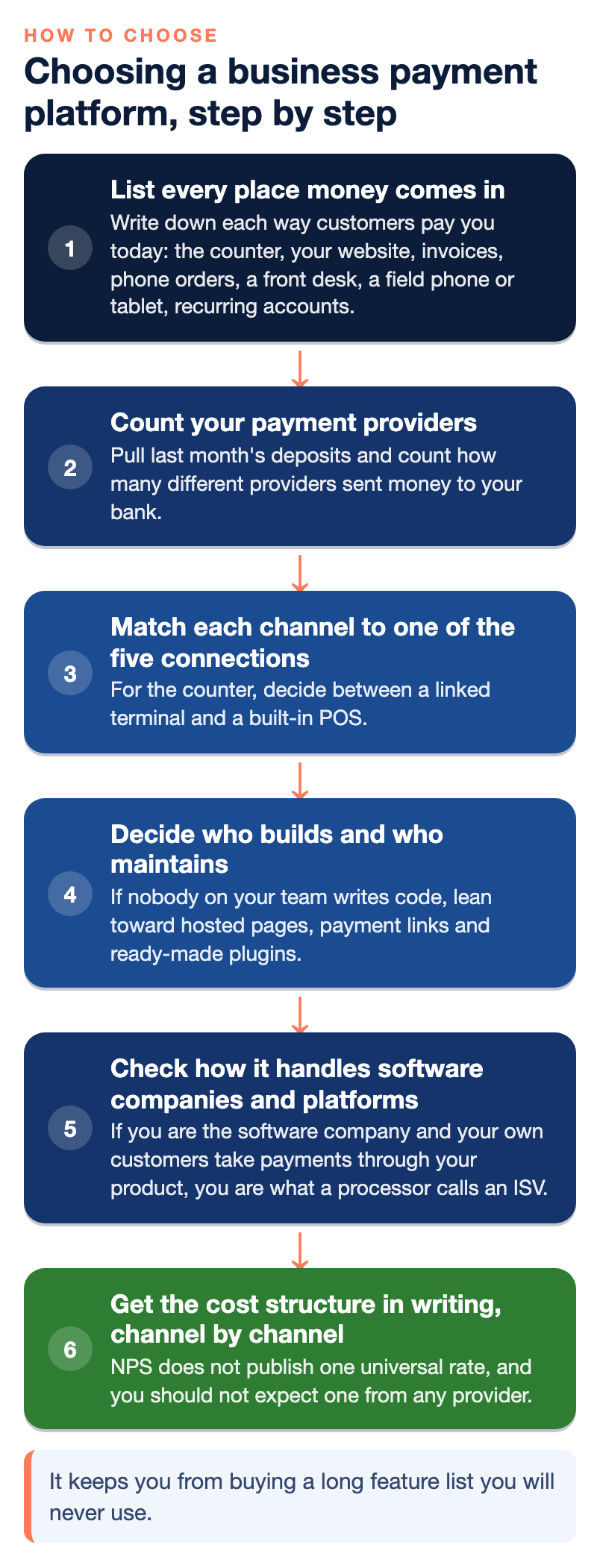
Choosing a business payment platform, step by step
Use this order. It keeps you from buying a long feature list you will never use.
Step 1: List every place money comes in
Write down each way customers pay you today: the counter, your website, invoices, phone orders, a front desk, a field phone or tablet, recurring accounts. A business with one checkout needs a different setup from one that collects payments five ways. Our omnichannel payment solutions guide breaks the common channels down and shows which kinds of business use each one.
Step 2: Count your payment providers
Pull last month’s deposits and count how many different providers sent money to your bank. If the answer is more than one, ask why. Fewer systems means fewer statements to read and fewer support lines to call.
Step 3: Match each channel to one of the five connections
For the counter, decide between a linked terminal and a built-in POS. For invoices, look at payment links and an accounting sync. For your website, decide between a hosted page and a plugin or API. For phone orders, a virtual terminal. For larger or recurring payments, ask about ACH, which is bank-to-bank payment and is often a better fit for big invoices.
Step 4: Decide who builds and who maintains
If nobody on your team writes code, lean toward hosted pages, payment links and ready-made plugins. If you have developers, ask to see the API documentation and the test environment before you sign, and ask who answers their questions when an integration does not behave as expected.
Step 5: Check how it handles software companies and platforms
If you are the software company and your own customers take payments through your product, you are what a processor calls an ISV, short for independent software vendor. Your choice is how much of the payment experience to own, from sending customers elsewhere to becoming a full payment facilitator. Read what an ISV is in payments before you pick a partner.
Step 6: Get the cost structure in writing, channel by channel
NPS does not publish one universal rate, and you should not expect one from any provider, because pricing depends on volume, ticket size, how you take payments, equipment and risk. What you can compare is the structure. Card-present, online and keyed-in sales are not priced the same, so ask about each channel.
Security and compliance in an integrated setup
Card-security rules reach every system that stores, processes or transmits readable card data, so the key question is whether a readable card number ever touches your register software, your back-office computer or your network. When a card is read on a terminal that encrypts the number inside the reader, the rest of your equipment sees only scrambled data. When a card number is typed into a register screen, a browser or a spreadsheet, it has traveled outside that protected path.
Do not assume a fully integrated system is automatically simpler to certify, or that a semi-integrated one is. The self-assessment questionnaire you complete each year depends on how your business takes cards: a standalone terminal, an integrated POS on your network, a hosted payment page online or a combination. Ask your processor which questionnaire fits your setup and get the answer in writing. Our article on PCI DSS and card network rules explains why those two are not the same thing.
Two more checks apply to any integration. First, if a brochure says “encrypted,” ask for the validated listing by name and check that your exact devices are on it. Second, keyed-in payments are card-not-present transactions, which usually cost more than a card that is tapped or inserted and carry more fraud and dispute exposure, so use address and security code checks and limit who can process refunds.
Questions to ask any provider before you sign
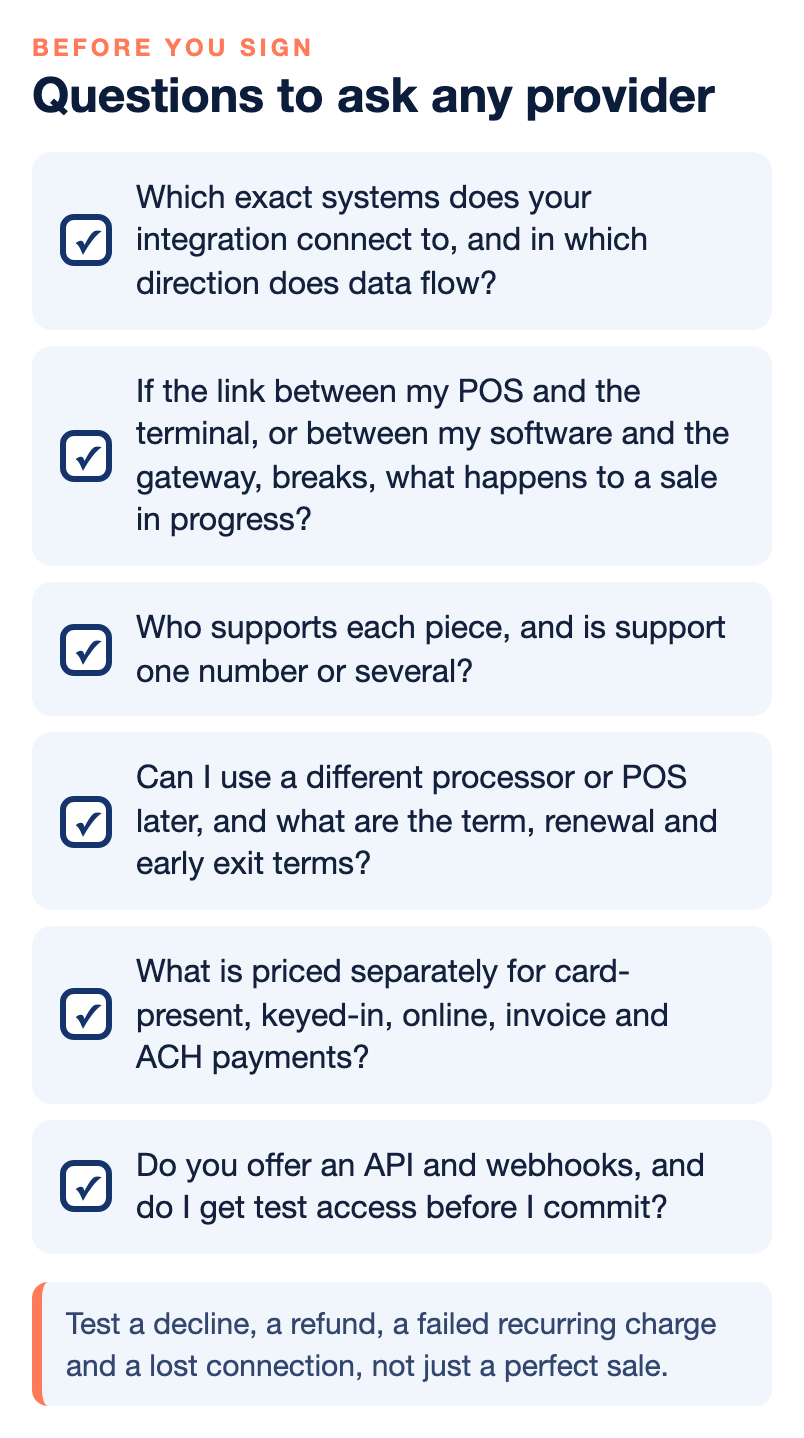
- Which exact systems does your integration connect to, and in which direction does data flow?
- If the link between my POS and the terminal, or between my software and the gateway, breaks, what happens to a sale in progress?
- Who supports each piece, and is support one number or several?
- Can I use a different processor or POS later, and what are the term, renewal and early exit terms?
- What is priced separately for card-present, keyed-in, online, invoice and ACH payments?
- Do you send Level 2 and Level 3 data on my business-card sales, and can you show me which transactions qualified?
- Which security questionnaire applies to my setup, and is the answer in writing?
- Do you offer an API and webhooks, and do I get test access before I commit?
Common mistakes with integrated payments
- Buying for channels you will never use. The most common way to overpay is a platform with features that your business does not need. Start with how you sell today and add channels later.
- Trusting the word “integrated.” The industry uses the term loosely. Ask what actually happens to the card, the money and the data in each sale.
- Skipping the demo of the unhappy path. Test a decline, a refund, a failed recurring charge and a lost connection, not just a perfect sale.
Who wrote this, and where NPS fits
This guide is by Allen Kopelman at Nationwide Payment Systems (NPS), a payments company in South Florida that has served merchants since 2001. We sell payment setups of the kind described here, so read us as a participant, not a referee, and use the questions above on us as well as on anyone else.
Where we fit is the connected end of the range. NPSONE is our all-in-one payment platform for B2B companies, invoicing and online sales, with a gateway, hosted pages, payment links, an API and a virtual terminal under one login. See the NPSONE gateway and NPSOne pages for the product detail. For invoices and accounting sync, ClickBillR is the Smart Invoicing add-on. For counters and checkouts, our guide to omnichannel payment processing and unified commerce shows where the industry is heading, and our comparison of payment gateways and merchant accounts for online-only businesses helps if you sell only online. We do not quote rates in this guide because pricing depends on each business. If a simpler setup would serve you better, we say so. For help sorting out your own list of channels, contact NPS, and for more explainers see our payments guides.
Bottom line
An integrated payment system is a payment chain whose front end is connected to your software, so the sale and the payment live in one record. Pick it the way you would pick any tool: list how you sell, match each channel to the smallest connection that works, count your providers, ask who owns and supports each piece, and get the cost for each channel in writing. The best integration is the one your team stops noticing because the money simply shows up where it should.
Frequently asked questions
What is an integrated payment system?
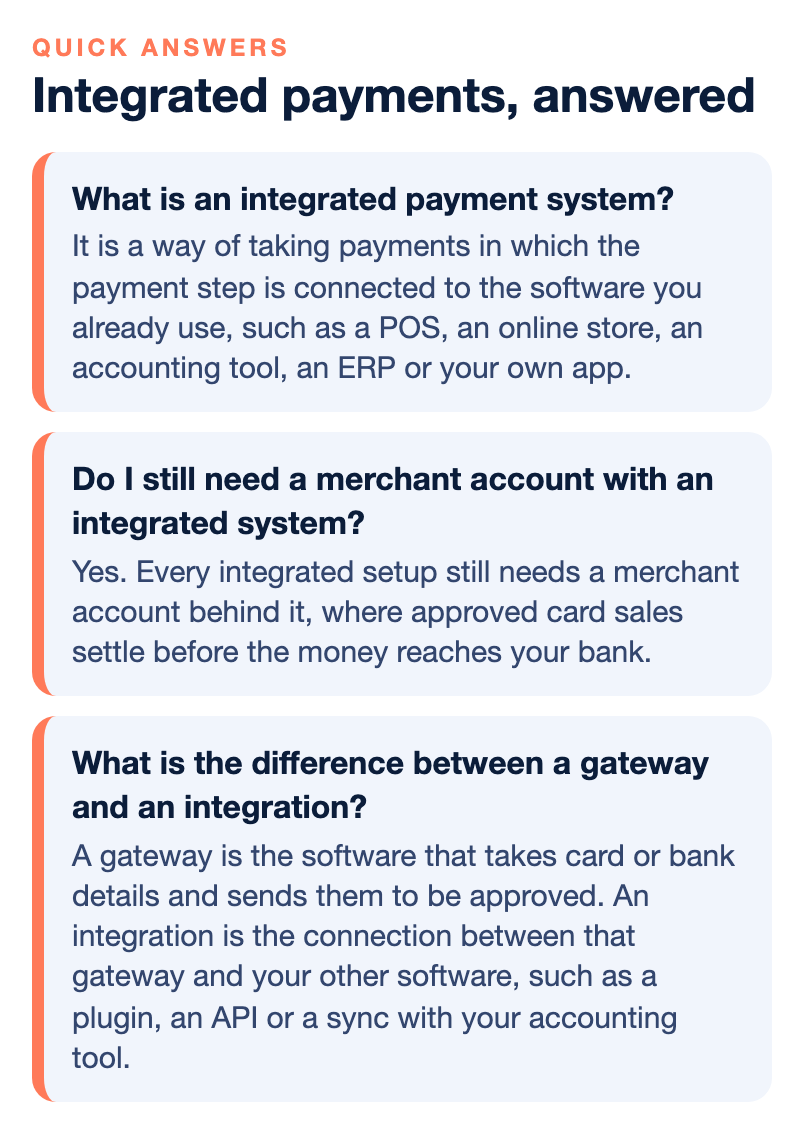
It is a way of taking payments in which the payment step is connected to the software you already use, such as a POS, an online store, an accounting tool, an ERP or your own app. The sale and the payment share one record, so nobody retypes amounts or matches two reports by hand.
What is the difference between a payment system and a payment platform?
The words are used loosely. A payment system usually means the whole chain that moves a payment: the software, the gateway, the processor and the merchant account. A payment platform usually means one product that bundles several of those pieces behind one login. Ask any provider to name each piece it supplies and which ones come from other companies.
Do I still need a merchant account with an integrated system?
Yes. Every integrated setup still needs a merchant account behind it, where approved card sales settle before the money reaches your bank. The integration changes how the payment is started and recorded, not whether the account exists.
What is the difference between a gateway and an integration?
A gateway is the software that takes card or bank details and sends them to be approved. An integration is the connection between that gateway and your other software, such as a plugin, an API or a sync with your accounting tool.
Are integrated payments safer?
Not automatically. What matters is whether a readable card number ever reaches your register, computer or network. A card read on an encrypting terminal, or typed into a page the gateway hosts, keeps that exposure low. Ask your provider which security questionnaire applies to your setup and get the answer in writing.
Can an integrated system lower my processing costs?
It can in some cases. For business sales, sending the right invoice data with qualifying commercial card payments can lower the card cost, which is called Level 2 and Level 3 processing. Fewer systems can also mean fewer fees to compare. NPS does not publish one rate, so ask for pricing by channel in writing.
What should I ask before I sign?
Ask what connects to what, who supports each connection, what happens when a link breaks, whether you can leave without replacing every other piece, and what each channel costs. The question list in this guide gives you a starting set.