An omnichannel payment solution lets one business take payments at the counter, on its website, over the phone, by invoice and on a phone or tablet in the field, with every one of those payments landing in the same merchant account, the same reporting and the same customer record. For a small or mid-size business, the point is rarely the technology itself. The point is that the owner stops reconciling four deposits from four providers every week, stops paying four sets of fees, and stops making customers pay the way the business happens to be set up instead of the way they want to pay. This guide explains what an omnichannel setup actually includes, which channels a typical small or mid-size business needs, what to check before you sign, and where we fit.
The bottom line
- Omnichannel means one payment setup behind every way you sell, not a long list of features. If your counter sales, online orders and invoices settle through different providers, you have several payment systems, not one.
- Most small and mid-size businesses need only a handful of channels, usually in-person, online, invoices or payment links, card-not-present for phone orders, and ACH for larger or recurring payments.
- The real savings come from fewer systems, which means less reconciliation, one statement to read and one support line to call. Ask for pricing on each channel in writing, because card-present, online and keyed payments are not priced the same.
- Start with how you sell today, then add channels as you need them. Buying a platform for channels you will never use is the most common way to overpay.
Who wrote this, and what we will not claim
Nationwide Payment Systems (NPS) publishes this guide. We are a payment processing company in South Florida, in business since 2001, and we sell payment setups of the kind described here, so read us as a participant, not a referee. We do not quote rates on this page, because pricing depends on your industry, volume, average sale and how you take payments. We also say below which businesses we are not the right fit for. Our longer essay on omnichannel payment processing and unified commerce covers where the industry is heading. This page is the practical version for an owner deciding what to set up this year.
What “omnichannel” means for a smaller business
The word came out of large retail, where it described a customer who could browse online, buy in the store and return by mail without anyone treating them as three different people. For a business with one to twenty locations, or a service company with a small office and a few trucks, the useful meaning is narrower and more concrete. Omnichannel payments means that whichever way a customer pays you, the money moves through one provider, shows up in one dashboard and reconciles against one set of books.
What it usually replaces is a patchwork that grew one decision at a time. A card terminal came with the lease. An online store came with its own built-in checkout. Someone in the office signed up for an invoicing tool that takes cards. A field technician uses an app on a phone. Each one worked on its own, and each one has its own statement, its own deposit schedule, its own fee structure and its own support line. The patchwork is not wrong, and plenty of businesses run on it for years. It just gets more expensive and more confusing every time a new channel is bolted on.
The test is simple. Pull last month’s deposits and count how many different payment providers sent money to your bank account. If the answer is more than one, ask why. Sometimes there is a good reason, such as a marketplace that only pays out through its own system. Often there is not.
The channels most small and mid-size businesses need
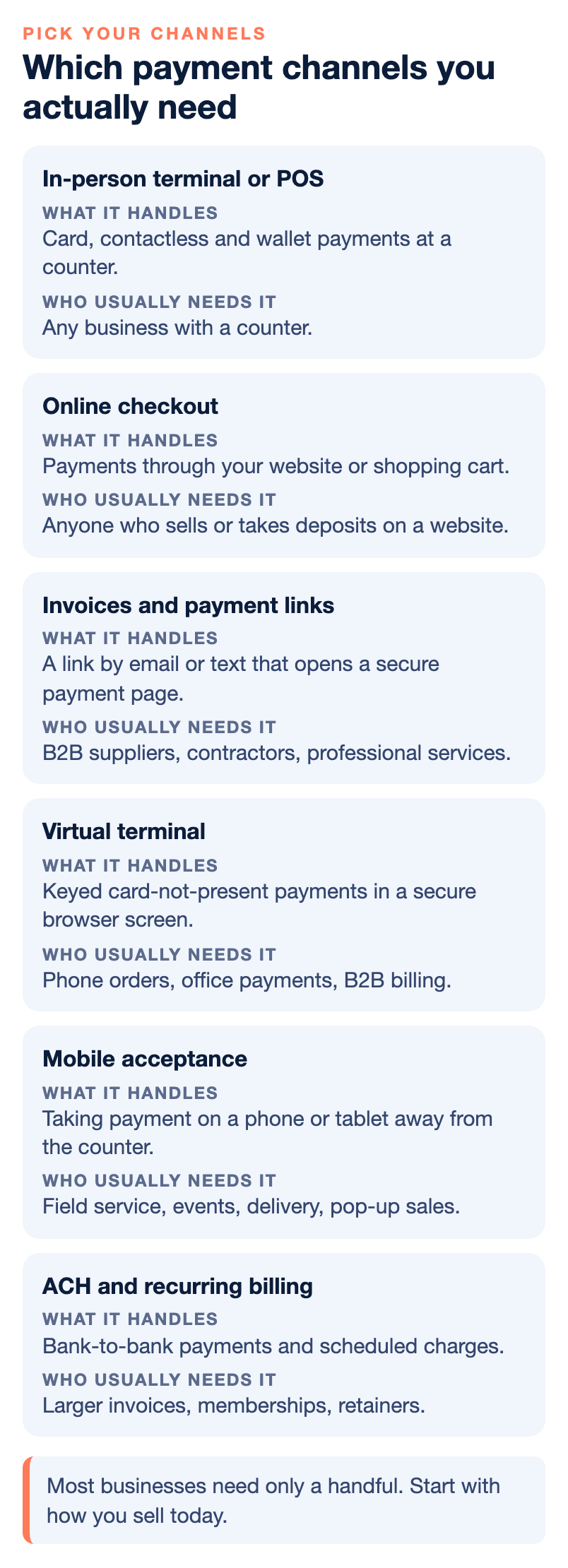
Not every business needs every channel, and the right mix depends far more on how you sell than on your size. Here is how the common channels break down and who tends to use each.
| Channel | What it handles | Who usually needs it |
|---|---|---|
| In-person terminal or POS | Card, contactless and wallet payments at a counter, with inventory and reporting if it is a full POS. | Retail, restaurants, bars, specialty stores, any business with a counter. |
| Online checkout | Payments through your website or shopping cart, through a payment gateway. | Anyone who sells or takes deposits on a website. |
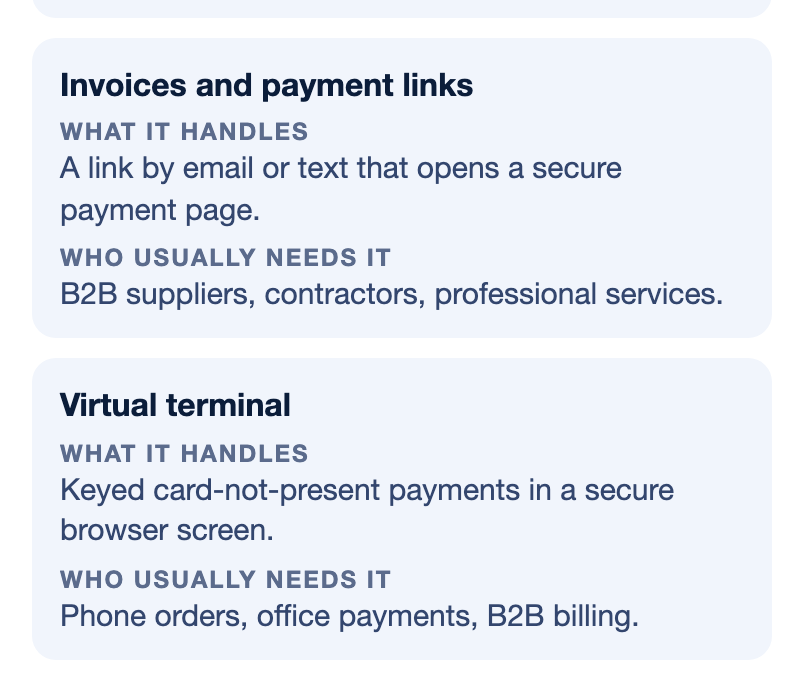
| Invoices and payment links | A link by email or text that opens a secure payment page for a specific amount. | B2B suppliers, contractors, professional services, anyone who bills after the work. |
| Virtual terminal | Keyed card-not-present payments in a secure browser screen. | Phone orders, office payments, B2B billing. |
| Mobile acceptance | Taking payment on a phone or tablet away from the counter. | Field service, events, delivery, pop-up sales. |
| ACH and recurring billing | Bank-to-bank payments and scheduled charges for repeat customers. | Larger invoices, memberships, retainers, service contracts. |
In person: the counter is where most problems start
For a store or restaurant, the counter is still the heart of the business, and the choice of POS decides most of what comes after it. A full POS system does more than take payments. It holds inventory, prices, employee controls and reporting, and in some industries it handles age verification or scan data. If the POS is locked to one processor, every other channel you add later has to work around that lock. That is why the counter decision deserves more time than it usually gets. A business that sells specialized products, such as a tobacco and smoke shop, also has industry-specific needs, which we cover in our guide to choosing a POS for tobacco and smoke shops. Retailers with multiple locations or deep inventory often look at systems like NCR Counterpoint POS, which are built for that kind of complexity.
Online: the website checkout is a separate decision
Many small businesses use whatever checkout came with their website platform, and that is often fine at the start. The cost shows up later. A built-in checkout usually settles on its own schedule and reports in its own dashboard, so your online sales and your counter sales never meet until someone types them into the books. A payment gateway connected to your own merchant account changes that. It lets your online orders run through the same account as everything else, so one statement shows the whole business. Shopping carts such as WooCommerce and Shopify can usually connect to an outside gateway, though the details depend on the platform and the plan you are on.
Invoices and payment links: the channel most businesses add last and need first
For B2B companies and service businesses, the invoice is the sale. A payment link turns that invoice into something a customer can pay in a minute from a phone, by card or ACH, without mailing a check or reading a card number to someone in your office. Reading card numbers over the phone creates errors, wrong charges and refunds, and it puts card data in places it should not be. If you invoice regularly, this channel often does more for cash flow than any other change on this list.
Phone, field and recurring payments
A virtual terminal covers the customer who calls to pay. Mobile acceptance covers the technician finishing a job in a driveway or the vendor at a weekend event. Recurring billing and ACH cover the customers you charge every month, such as memberships, retainers and service contracts. These channels are smaller for most businesses, but they are exactly where a patchwork tends to grow, because each one is easy to add on its own with a separate app.
What one connected setup actually saves
The case for omnichannel is easiest to see in the work it removes, not in a fee comparison. Think about what happens at month end in a business with three providers. Someone downloads three statements, matches three deposit schedules against sales, chases the deposit that came in short because of a chargeback on one platform, and then tries to answer a simple question like “what did we sell last month” by adding up numbers that were never meant to be added. Every one of those steps is a place where money goes missing quietly, through a fee nobody noticed or a refund that was processed twice.
With one setup, most of that disappears. Deposits come from one place. Reporting covers every channel. A customer who bought in the store and later paid an invoice shows up as one customer. If your payment system connects to accounting software such as QuickBooks Online, payments can sync to the books instead of being keyed in. And when something goes wrong, there is one support line to call instead of three, none of which can see what the other two did.
There is a fee side too, but be careful with it. Card-present payments, online payments and keyed phone payments carry different costs at the card networks, so no honest provider charges one rate across every channel. What a single setup can do is put all your volume in one place, which helps when you review or negotiate pricing, and it lets you steer larger payments to ACH, which is often considerably less expensive than a card on a large invoice. Ask any provider for the pricing on each channel you plan to use, in writing, before you compare.
How to choose an omnichannel setup, step by step
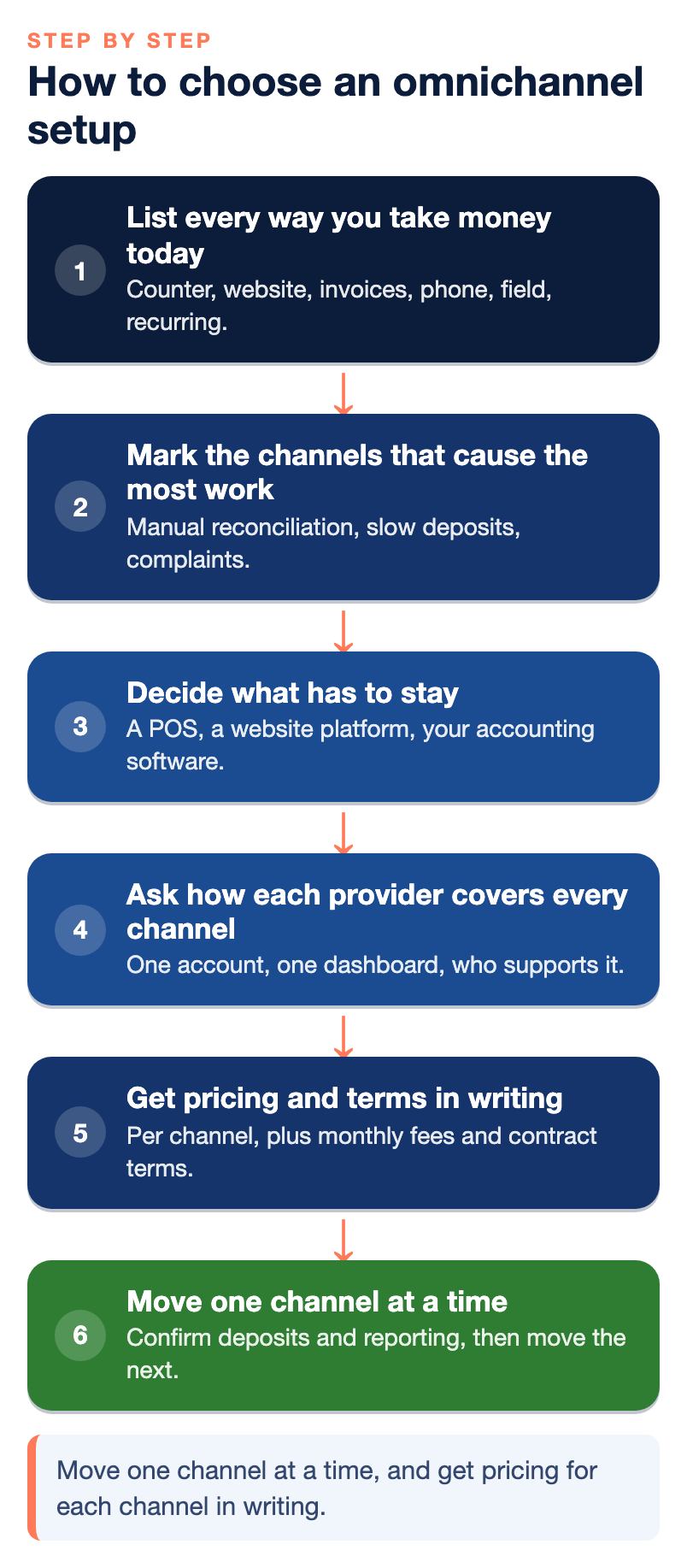
A good setup is built around how your business already sells, not around a feature list. Work through it in this order.
- List every way you take money today. Counter, website, invoices, phone, field, recurring. Write down which provider handles each one and what it costs you.
- Mark the channels that cause the most work. Usually that is the one with manual reconciliation, the one with slow deposits, or the one customers complain about.
- Decide what has to stay. A POS you just bought, a website platform you are happy with, or accounting software your bookkeeper relies on. The new setup has to connect to these, not replace them.
- Ask each provider how it covers every channel on your list. One merchant account or several? One dashboard? Which carts, POS systems and accounting tools does it connect to, and who supports the connection when it breaks?
- Get the pricing and terms for each channel in writing. Include monthly fees, equipment costs, contract length and early termination terms, as well as the per-transaction pricing.
- Move one channel at a time. Start with the channel that causes the most pain, confirm deposits and reporting are right, then move the next one.
Questions worth asking any provider
- Will all my channels settle into one merchant account, or will online and in-person run through separate accounts?
- Does the POS I use, or want, work with your processing, or am I locked into your hardware?
- Can customers pay invoices by card and ACH from the same link, and can I control when each option is offered?
- Does the system sync with my accounting software, and what happens to refunds and fees in that sync?
- When something breaks across two systems, such as a cart and the gateway, who do I call, and is it a live person?
- What are my deposit times for each channel, and what could change them?
Our article on the best payment processing providers by business type compares the main kinds of providers and pricing models, which is useful background before you start these conversations.
Common mistakes when going omnichannel
The first mistake is buying for the business you imagine rather than the one you run. A platform with twelve channels is no bargain if you use three of them and pay a monthly fee that assumes all twelve. The second is treating the cheapest advertised rate as the deciding number. A flat rate that looks low on the counter can be expensive on large invoices, and a low rate with poor support costs more the first time a deposit goes missing.
The third mistake is moving everything at once. Changing POS, website checkout and invoicing in the same week means that when something goes wrong, nobody can tell which change caused it. The fourth is forgetting risk. If you add a channel that changes your business, such as starting to sell online after years of counter-only sales, tell your processor before you start. An account approved for one way of selling can be reviewed or limited when it suddenly starts processing another, which is the situation our guide to what a restricted merchant account means explains.
The last one is quieter. Some all-in-one platforms make it easy to start and hard to leave, because your POS, your customer data and your payment history all live inside one closed system. Ask how you would export your data and what equipment you would own if you left.
Where NPS fits, and where it does not
We build payment setups around how a business actually operates rather than forcing every company into the same model. Through our NPSONE platform and connected technology, businesses can take payments online, through a virtual terminal, by payment link and smart invoice, by ACH and card, through recurring billing and digital wallets, and through API integrations. We offer POS systems for retail stores, restaurants, bars, liquor stores, smoke shops and other specialty businesses, and we support ecommerce gateways and shopping cart integrations, as well as QuickBooks payment workflows. Accounts come with live, U.S.-based support around the clock and a dedicated account manager, and we price each merchant individually.
Here is where we may not be the right choice:
- Very low volume or a hobby business. We may not be the best fit for sellers with very low processing volume.
- You want instant self-service signup. We underwrite each account, so it is not an instant, click-and-go product.
- You would rather not provide underwriting documents. We will ask for them.
- You are choosing only on the lowest advertised flat rate. We do not publish one universal rate.
- You only need one channel and no support. If a single card reader covers everything you do, a simpler product may suit you better.
Next step
Omnichannel is worth it when it removes work, not when it adds features. Count your providers, find the channel that causes the most trouble, and fix that one first with a setup that can grow into the others. You can find more of our practical guides in the payments guides library, and if you want someone to look at your current setup and statements, you can talk with our team. If a simpler product would serve you better, we will tell you.
Frequently asked questions
What is an omnichannel payment solution?
It is a payment setup that lets a business take payments in person, online, by invoice, over the phone and on mobile devices through one provider. The payments land in one merchant account with one set of reporting. The goal is fewer systems to reconcile and a consistent experience for customers however they pay.
Does a small business really need omnichannel payments?
Not always. If you sell only at a counter and never invoice or sell online, a good POS may be all you need. Once you take payments in two or more ways, putting them under one setup usually saves time on reconciliation and makes your numbers easier to read.
Is omnichannel the same as unified commerce?
They are closely related. Omnichannel usually means accepting payments across every channel, while unified commerce goes further and connects payments with inventory, customer records and accounting in one system. For most small and mid-size businesses, getting every channel into one payment setup is the practical first step.
Will one provider charge the same rate for every channel?
Usually not, and you should be wary if one says it does without explaining how. In-person, online and keyed card payments carry different costs at the card networks, and ACH is priced differently again. Ask for the pricing on each channel you plan to use in writing.
Can I keep my current POS and add online and invoice payments?
Often yes, depending on whether your POS is tied to one processor. Ask any provider whether your current system works with its processing, and if it does not, what switching would involve. Many businesses start by connecting invoices and online payments first and change the counter later.
How long does it take to move to one payment setup?
It depends on how many channels you have and what has to connect, such as your website cart and accounting software. Moving one channel at a time is slower on paper but safer, because you can confirm deposits and reporting before moving the next one. Ask the provider for a realistic plan for your specific setup.
Do I need to tell my processor when I add a new sales channel?
Yes. If you start selling online, taking phone orders or billing by invoice when your account was approved for counter sales, tell your processor before you start. A change in how you sell can trigger a review, and it is far easier to update the account first than to explain it afterward.