Secure payment processing is not one product. It is four layers working together: protection for the card number itself, a way to check that the person paying is allowed to, screening that catches suspicious orders, and your own daily habits. Some of those layers are built and run by your payments provider. Others are yours alone, and that is where businesses most often get hurt. This guide explains what each layer does in plain words, what it leaves uncovered, and the questions to ask so your secure transactions for businesses do not depend on a brochure.
The short answer
- Layer 1 protects the card data. Encryption in the card reader, tokenization and hosted payment pages keep readable card numbers away from your systems.
- Layer 2 checks who is paying. Chip, tap, mobile wallets, security codes, address checks and 3D Secure each test whether the payer is the real cardholder.
- Layer 3 screens the orders. Limits on repeat attempts, risk rules and a quick human review catch fraud without turning away good customers.
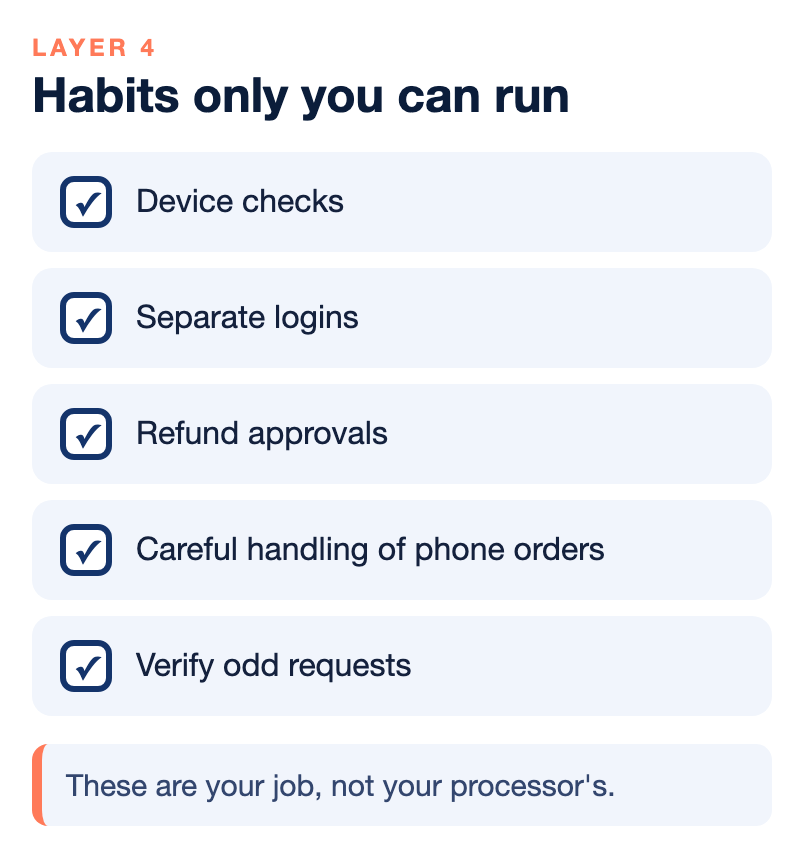
- Layer 4 is you. Device checks, separate logins, refund approvals, careful handling of phone orders and a habit of verifying odd requests are your job, not your processor’s.
- A compliance questionnaire is not a shield. PCI DSS covers how card data is protected, not who pays when a payment is fraud.
Why secure payment processing is a stack, not a switch
When a business owner asks whether a processor is secure, the honest answer is a list. A card sale travels from the customer to a reader or web page, through your processor and the card network to the customer’s bank, and later into your deposit. Risk can enter at nearly every step. No single tool covers all of them. A product that encrypts card data beautifully does nothing about an employee who issues a fake refund. A strict fraud filter does nothing about a stolen mailbox full of checks.
That is why the layers below matter. For each one, this guide separates what a provider can build for you from what only you can do. B2B payment security has an extra wrinkle, because business sales often involve large invoices, payment links, ACH and checks as well as cards. Our guide to B2B payments explains how those sales differ. Here we focus on keeping them safe.
Layer 1: protecting the card data itself
The best way to keep a card number from being stolen from your systems is to not have it there. Three tools do this in different places.
Encryption in the reader
Point-to-point encryption, shortened to P2PE, means the card number is scrambled inside the card reader the moment a card is dipped, tapped or swiped. It stays scrambled until it reaches a secure decryption environment run by the solution provider, far from your store. Your register, your Wi-Fi and your back-office computer only ever see scrambled data, which is useless to a thief without the keys.
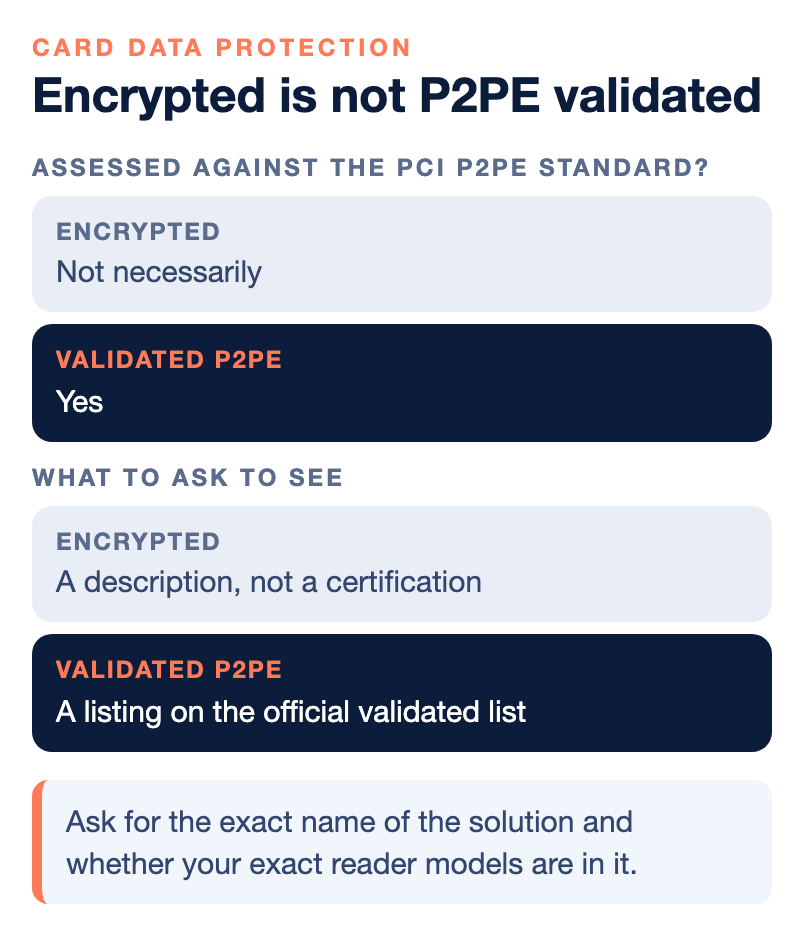
The word to watch is validated. A validated P2PE solution has been assessed against the PCI point-to-point encryption standard and sits on an official list, with named card readers. Plenty of products encrypt card data without ever being assessed that way. That can still be a good product, but it is not the same promise, and it may not shorten your yearly questionnaire. Our guide on what P2PE validation actually certifies lists the questions to ask, starting with the exact name of the solution and whether your exact reader models are in it.
Tokenization
Tokenization swaps a real card number for a stand-in value, called a token. The token can be used to bill the same customer again, but it is worthless if someone steals it, because it does not work as a card number outside your payment system. This is useful for recurring invoices and saved customers, since you can bill again without storing the card number yourself. NPS describes tokenization as one of the layers it sets up for merchants, along with encryption, PCI compliance management and fraud monitoring.
Hosted payment pages and payment links
A payment link sends a customer to a secure hosted page where the customer enters their own card or bank details, so you never see the card number. For B2B sellers this is often the safest way to take a card or ACH payment on an invoice, because it replaces the old habit of a buyer reading a card number over the phone. Our guide to payment links and invoicing explains how a link settles and which risks remain, including disputes and card testing on open forms.
What this layer leaves uncovered
Encryption protects the card number in transit. It does not tell you whether the person holding the card is the real cardholder, and it does nothing about a customer who later disputes a charge. It also does not reach card numbers typed into a computer, read over the phone or written on paper. Those gaps are the reason the next three layers exist.
Layer 2: checking that the payer is the real cardholder
Authentication is the set of tests that ask whether the person paying is allowed to use this card. The tests are different in a store, on a website and on an invoice.
- Chip and tap. Chip cards are very hard to counterfeit in a way that works on a chip reader, so counterfeiters now want the magnetic stripe, which is easier to copy. If your store reads the chip, a fake made from stolen stripe data usually fails.
- Mobile wallets. Apple Pay and Google Pay usually require the owner’s face, fingerprint or passcode, and the real card number is never shared with you.
- Security code (CVV). The three or four digits on the card help confirm the person typing has the card or at least its back. A wrong code is a fair reason to decline, though a customer should get a chance to fix a typo.
- Address check (AVS). Address verification compares the billing address typed at checkout with the one the card issuer has on file. A complete mismatch on a large order is a warning sign. A partial match, such as a wrong ZIP code, is often just a person who moved or mistyped.
- 3D Secure. This sends the customer to their card issuer to confirm the purchase, usually in an app or with a code. In many cases a properly authenticated transaction moves the liability for a fraud chargeback away from the merchant. It is also an extra step that some customers abandon.
Who bears the loss when one of these tests is skipped is set by the card network rules. Since the U.S. move to chip cards in October 2015, the networks have shifted liability for counterfeit card fraud to whichever side of the transaction is less secure. If a customer presents a chip card and your store swipes it instead, you can be left with the loss even when your paperwork is perfect. Our guide to PCI DSS versus card network rules explains why those two rulebooks are not the same thing.
Layer 3: screening orders for fraud without losing good customers
Screening is where your gateway or processor looks at a payment and decides whether to let it through, add a step or stop it. The goal is to stop the orders that are actually fraud and let nearly everyone else through without friction. Strict settings feel safe, but every good customer you decline is a sale you lost, and that loss never shows up as a chargeback, so it is easy to miss.
A few tools do most of the work.
- Limits on repeat attempts. Card testing is when a bot runs many stolen card numbers through a checkout with small amounts to see which ones work. There is no good customer in that pattern, so limits per card, device and IP address should be strict. Turn them on before you need them.
- Risk-based extra steps. Instead of adding 3D Secure to every order, use it on first-time customers, large orders or unusual shipping, and let a normal repeat customer go straight through.
- Manual review of the uncertain middle. A person looking at a large first order that ships to a different state than the billing address can often tell in a minute what a rule cannot. Review works when it is done the same day.
- Chargeback alerts. NPS also points to fraud monitoring services, such as RDR, CDRN and Ethoca alerts, as ways to catch problems before they become costly disputes.
Our article on fraud screening versus customer friction walks through how to set these rules step by step and how to tell when your balance has drifted. If a dispute still comes through, our chargeback survival guide covers what to do next, and our piece on first-party fraud explains why some disputes are not what they appear.
Layer 4: your own habits, the part nobody can sell you
This is the layer providers cannot run for you, and it is where many losses start. The good news is that most of it is routine rather than expensive.
Know your devices
The card reader is the one piece of payment equipment a stranger can touch. Skimming overlays can fit over a real reader or keypad and copy card data as customers pay, and a more ambitious attack swaps your terminal for a look-alike, sometimes during a fake service visit. Keep a list of every card-reading device with its make, model and serial number, look at each one regularly for anything that has changed, and confirm any service visit by calling your processor at the number you already have, not a number the visitor gives you. Our guide to the POS terminal as an attack surface shows every point where card-present fraud enters a sale.
Control who can do what
Many losses come from inside, through refunds, voids and returns sent to a personal card. Give each person an individual login, require manager approval for refunds and voids, and review them every week. Avoid shared passwords and keep remote access strong.
Close the informal gaps
A card number read over the phone and written on a sticky note, a catering order form with card details on it, or an old binder of imprints are all readable card data, and no encryption on your counter reaches them. Decide how phone orders are taken, where any paper goes and how it is destroyed. Also decide whether staff may key a card number into a computer, since that sends the number outside any encrypted path.
Treat odd requests as suspicious
Fraud aimed at businesses often arrives as a message. The B2B Vault podcast has covered fake texts and calls that claim your bank account has a problem and push you to log in or send money. The advice is simple. Do not click the link, do not log in from a message, and verify by calling a phone number you already have. In our guide to how to prevent fraud in your business the same rule applies to every channel.
Do not forget checks and ACH
B2B payment security does not stop at cards. Paper checks can be stolen from a shared mailbox, altered and deposited, which is one reason NPS encourages sellers to make it easy for customers to pay electronically. Moving buyers to a payment link and ACH shortens the time money sits exposed. Our articles on check fraud and the ACH optimization guide go deeper on both.
What compliance does and does not do for you
PCI DSS is the Payment Card Industry Data Security Standard. It is written and maintained by the PCI Security Standards Council and tells any business that accepts, processes, stores or transmits card data how it must protect it. The council does not audit your store or issue fines. Your acquiring bank enforces the standard through your merchant agreement, and each card brand runs its own compliance program that decides how a merchant proves it.
In practice that usually means a yearly Self-Assessment Questionnaire, and sometimes network scans, filed through the PCI vendor your processor uses. Finishing it every year is also how you avoid a PCI non-compliance fee on your statement. A PCI compliance charge is not automatically a junk fee, and our article on junk fees and PCI compliance shows how to tell a fair charge from a padded one.
Be clear about the limits. A passing questionnaire does not protect you from chargebacks. It does not decide who pays for a counterfeit card, and a validated reader does not cover your website, your invoices or the card number someone wrote on a pad. Some business insurers also ask for proof that you completed your questionnaire as a condition of data-breach coverage, so keep it current. Nothing here is legal or compliance advice, and your acquiring bank decides which questionnaire you file.
Questions to ask any provider about secure payment processing
Use this list when you are comparing providers or checking the one you have. Ask for the answers in writing.
- How is card data protected on each channel I use: in-person readers, online checkout, invoices and payment links?
- Is the encryption solution a validated P2PE solution, and what is its exact name on the official list? Are my exact reader models part of it?
- Does your gateway use tokenization so I can bill repeat customers without storing card numbers?
- Which checks run on online orders, such as security code, address check and 3D Secure, and can I tighten or loosen them by risk?
- What stops card testing on an open payment form or link?
- Which PCI questionnaire will my acquiring bank expect, who helps me complete it, and what fee applies if it is late?
- What happens when a payment is fraud, and who bears the loss for each way I take payments?
- Who do I call, and at what hours, if a reader looks tampered with or a deposit looks wrong?
If a provider answers these slowly, that is fine. If it will not answer at all, that is an answer too.
Who wrote this, and where NPS fits
Nationwide Payment Systems publishes this guide. We are a payments company based in South Florida, in business since 2001, and we sell payment processing, so we are not neutral. We offer the NPSOne gateway with built-in security, tokenization and fraud tools, and ClickBillR smart invoicing with ACH, card and wallet payments. We also help merchants with PCI compliance. We do not claim that every setup we sell is a validated P2PE solution, and we do not publish one universal rate, because pricing depends on your volume and setup. We also do not quote fraud statistics, since they vary by industry and change quickly. Our broader overviews, a guide to secure business transactions and the guide to protecting your payments, cover how our products fit together, and you can browse our full library of payments guides.
We may not be the right fit if you are a hobby seller with very low volume, if you only want instant self-service sign-up, or if the lowest advertised flat rate is the only thing you are comparing. Get any security promise in writing for your own setup.
Bottom line
Secure payment processing is four layers, not one feature. Protect the card data with encryption, tokenization and hosted pages. Check who is paying with chip, tap, wallets, security codes, address checks and 3D Secure. Screen orders by risk so you stop fraud without losing good customers. And run the habits that only you can run: device checks, separate logins, refund approvals and careful handling of phone, paper and odd requests. Compliance paperwork matters, but it is not a shield. If you would like a second opinion on how your current setup covers these layers, you can contact our team, and if another setup fits you better, we will say so.
Frequently asked questions
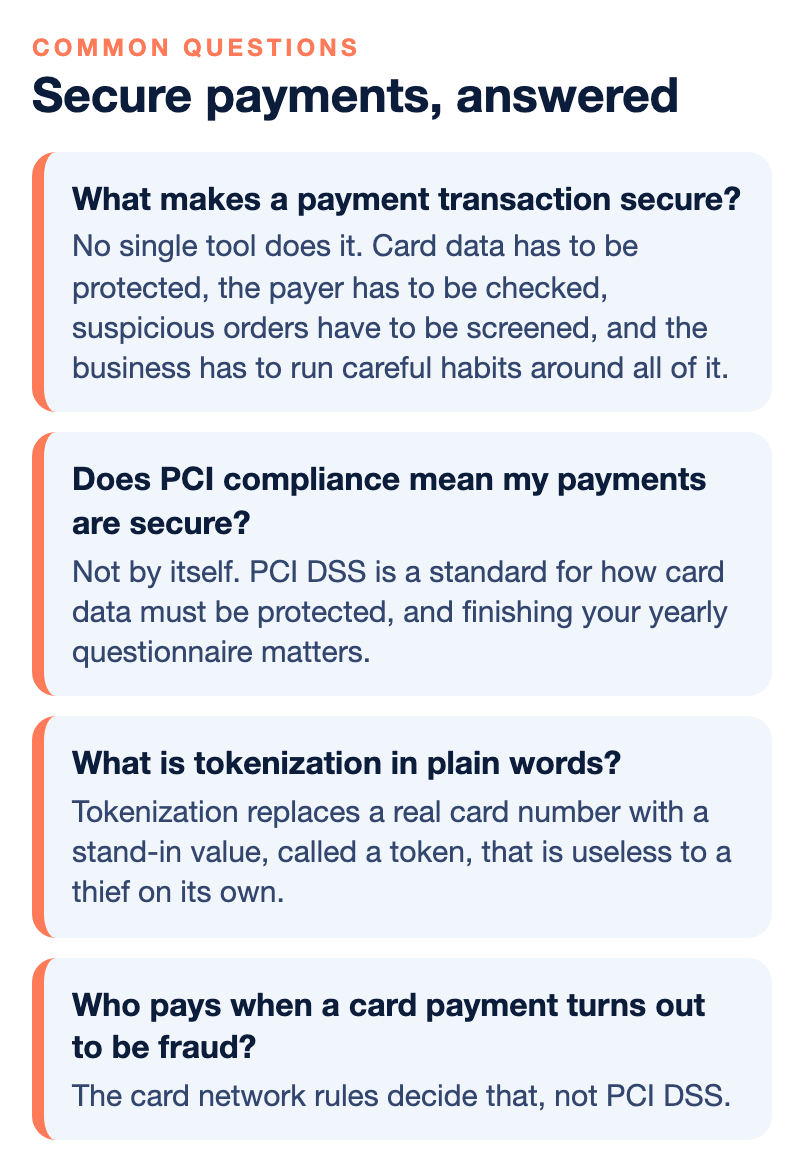
What makes a payment transaction secure?
No single tool does it. Card data has to be protected, the payer has to be checked, suspicious orders have to be screened, and the business has to run careful habits around all of it. Weakness in any one layer can undo strength in the others.
Does PCI compliance mean my payments are secure?
Not by itself. PCI DSS is a standard for how card data must be protected, and finishing your yearly questionnaire matters. But it does not decide who pays for fraud or stop a customer from disputing a charge, and a passing questionnaire does not protect you from chargebacks.
What is tokenization in plain words?
Tokenization replaces a real card number with a stand-in value, called a token, that is useless to a thief on its own. Your systems can keep the token for repeat billing instead of the card number. Ask your gateway provider exactly how it works in your setup.
Is a payment link safe for B2B invoices?
A payment link sends the customer to a hosted page where they enter their own details, so you never see the card number. The hosted page and tokenization keep card data off your systems, but disputes, reconciliation errors and card testing on open forms are still possible, so ask what controls your provider has.
What is B2B payment security beyond cards?
It also covers ACH, checks and the requests that arrive by email, text or phone. Paper checks can be stolen from a mailbox and altered, and fake messages that say your bank account has a problem try to get you to log in or send money. Verify any unusual request by calling a number you already have.
What is the difference between encrypted and P2PE validated?
Many products encrypt card data. A validated P2PE solution is one that was assessed against the PCI point-to-point encryption standard and appears on the official validated list, with your exact reader models included. If a seller cannot show you the listing, treat the word encrypted as a description, not a certification.
Who pays when a card payment turns out to be fraud?
The card network rules decide that, not PCI DSS. For example, under the chip liability shift that began in the U.S. in October 2015, a store that swipes a chip card can be left holding the loss for a counterfeit. Ask your provider how liability works for each way you take payments.