The same card costs different amounts because every card payment is sorted into an interchange category, and the lowest-cost category has requirements your sale must meet. When a sale misses a requirement, it is “downgraded” into a higher-cost category, and the extra cost lands in your fees instead of your quote. This guide explains how that sorting works, the common triggers for a downgrade, how each pricing model shows (or hides) one, and a short routine for finding and fixing the ones that are yours to fix.
The short answer
- Interchange is sorted, not flat. The card networks publish long tables of categories. Each sale lands in one, based on the card, how it was accepted, your business code, the data sent and how fast you settle.
- A downgrade is a miss, not a penalty fee. The sale did not meet the rules for the cheapest category, so it was charged at a higher one.
- The usual triggers are ordinary. Missing address verification data, a batch not settled within 24 hours, a business sale missing a tax ID, and a business code that does not match what you sell.
- Your pricing model decides whether you see it. Tiered statements show downgrades as mid-qualified and non-qualified buckets. Interchange-plus shows the interchange line. Flat-rate pricing usually blends it away.
- Some of it is fixable and some is not. You cannot change the rate tables, but you can change the data, timing and coding that decide where your sales land.
What “interchange” and “qualification” mean
Every card payment has two banks behind it. The issuing bank gave your customer the card, and the acquiring bank holds your merchant account. When the sale settles, the acquiring side pays the issuing side a fee, and that fee is interchange. It is the wholesale cost of accepting the card and usually the largest single part of your processing bill. On top of it sit card-brand assessments, which go to the networks, and your processor’s markup. Our guide to how interchange fees get set and who can change them covers who writes the tables and who receives the money.
Visa and Mastercard each publish a schedule with hundreds of categories. To get a sale into a given category, the sale has to meet that category’s requirements. That is what “qualifying” means. When a sale meets the requirements of the lowest-cost category available to it, it qualifies. When it falls short, it is downgraded into a more expensive one. Nothing about your business changed between those two sales. Only the way the sale was handled changed.
Why two sales on the same card can cost different amounts
The networks use several factors to sort each sale. Two sales of the same amount at the same store can carry very different interchange because they differ on one or more of these.
- The card type. Debit, prepaid, standard credit, premium rewards credit and business or corporate cards each carry different rates. Premium rewards cards have become some of the most expensive cards to accept.
- How the card was accepted. A chip or tap in person usually costs less than a card typed into a website, because the fraud risk is lower when the card is present.
- Your merchant category code. The code on your account tells the networks what kind of business you are, and some industries have their own programs. See our guide to special interchange rates for Visa and Mastercard.
- The data sent with the transaction. Address verification, order details and, for business cards, Level 2 and Level 3 data such as tax amounts and line items can move a sale into a lower category.
- Timing. How quickly the authorized transaction is settled can affect whether it qualifies for the best category.
Your merchant category code and your data are two of the factors you can influence. NPS’s guide on reading a merchant statement says that getting the code right can save 10 to 40 basis points on interchange, which is 0.10 to 0.40 percentage points. That range depends on your business and card mix, so treat it as a reason to check your code, not a promise. Our guide to how MCC codes are assigned explains how a code gets set and how to review yours.
What triggers a downgrade
Most downgrades come from a short list of causes. Each one is a requirement the sale did not meet.
- Missing address verification data. Address verification is a fraud check on the billing address a customer gives at checkout. When a sale goes through without that data, it may not qualify for the lowest category. For card-not-present sales, such as online or keyed-in orders, make sure your checkout or virtual terminal passes it.
- A batch that is not settled within 24 hours. A batch is the group of the day’s authorized sales that you send for settlement. If it sits unsettled, the sales inside it can fall out of the best category. This is why we tell merchants to batch out every day.
- A business sale missing invoice data. When a customer pays with a corporate or purchasing card, the sale can qualify for lower interchange if it carries extra detail, such as a tax ID or sales tax amount. Without it, the sale is charged at a higher category.
- Generic or repeated data. Since Visa launched its Commercial Enhanced Data Program in 2024, Level 2 and Level 3 data has to be accurate and dynamic for each transaction. Placeholder values such as a made-up purchase order number no longer qualify. Merchants get caught here when they assume their processor is still passing data correctly.
- A business code that does not match the business. If your code does not describe what you really sell, transactions that should qualify for an industry program may never do so.
- How the card was taken. On a tiered statement, rates differ for swiped and keyed-in transactions, so a card typed in by hand can land in a higher tier than the same card swiped.
None of these are signs that anything is wrong with your business. They are small handling details, and each is something a person or a system can fix.
Level 1, Level 2 and Level 3: the data ladder
Business-to-business sales add a layer. Our guide to Level 2 and Level 3 processing describes three levels of transaction data.
- Level 1 is the basic consumer transaction: card number, expiration and amount.
- Level 2 adds fields such as sales tax and a customer code.
- Level 3 adds line-item detail, such as product descriptions, quantities, unit prices, tax, purchase order numbers and freight.
The more accurate detail a corporate or purchasing card sale carries, the more likely it can qualify for a lower category. That is why a wholesaler selling to other companies can pay more on the same card if the invoice data does not travel with the payment. If most of your customers are businesses, read our overview of what changes when your customers are businesses, and ask your provider whether it passes this data automatically.
How each pricing model shows a downgrade
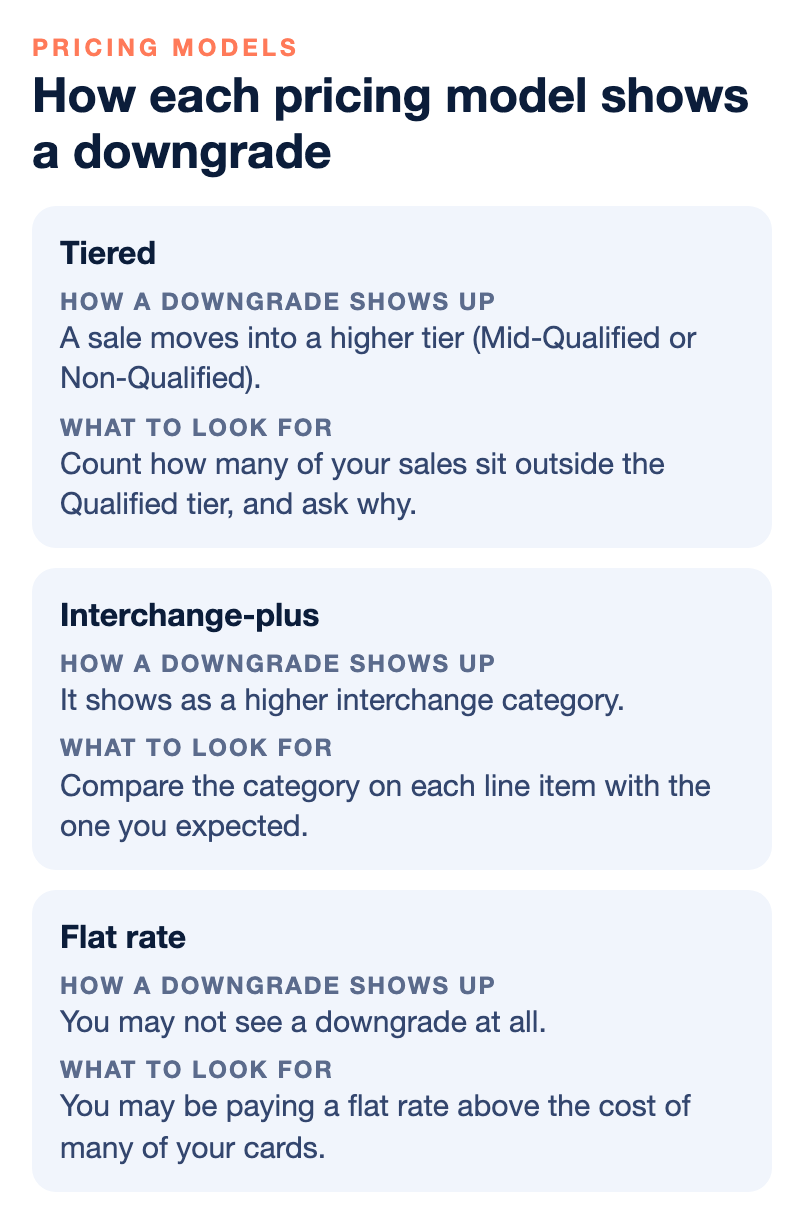
The same downgrade can be loud on one statement and invisible on another, depending on the pricing model. See our guide to merchant account pricing models for the full comparison.
| Pricing model | How a downgrade shows up | What to look for |
|---|---|---|
| Tiered | Sales are grouped into Qualified, Mid-Qualified and Non-Qualified tiers, each with its own rate. A downgrade means a sale moved into a higher tier. | Count how many of your sales sit outside the Qualified tier, and ask why. |
| Interchange-plus | Interchange is passed through as its own line, with the processor’s markup added separately. A downgrade shows as a higher interchange category. | Compare the category on each line item with the one you expected. |
| Flat rate | One blended percentage. The processor absorbs changes in the underlying cost inside that rate. | You may not see a downgrade at all, but you may be paying a flat rate above the cost of many of your cards. |
If your statement uses the words “mid-qualified” or “non-qualified”, you are likely on tiered pricing, and it is worth knowing how many of your transactions land outside the lowest bucket. Tiered pricing is also the easiest place for a processor to hide markup, which our guide to transparent merchant pricing explains. On interchange-plus pricing, changes to the networks’ tables reach you directly, because the interchange line moves. On flat-rate pricing, you usually do not see them, because the processor absorbs the change until it decides to raise the rate.
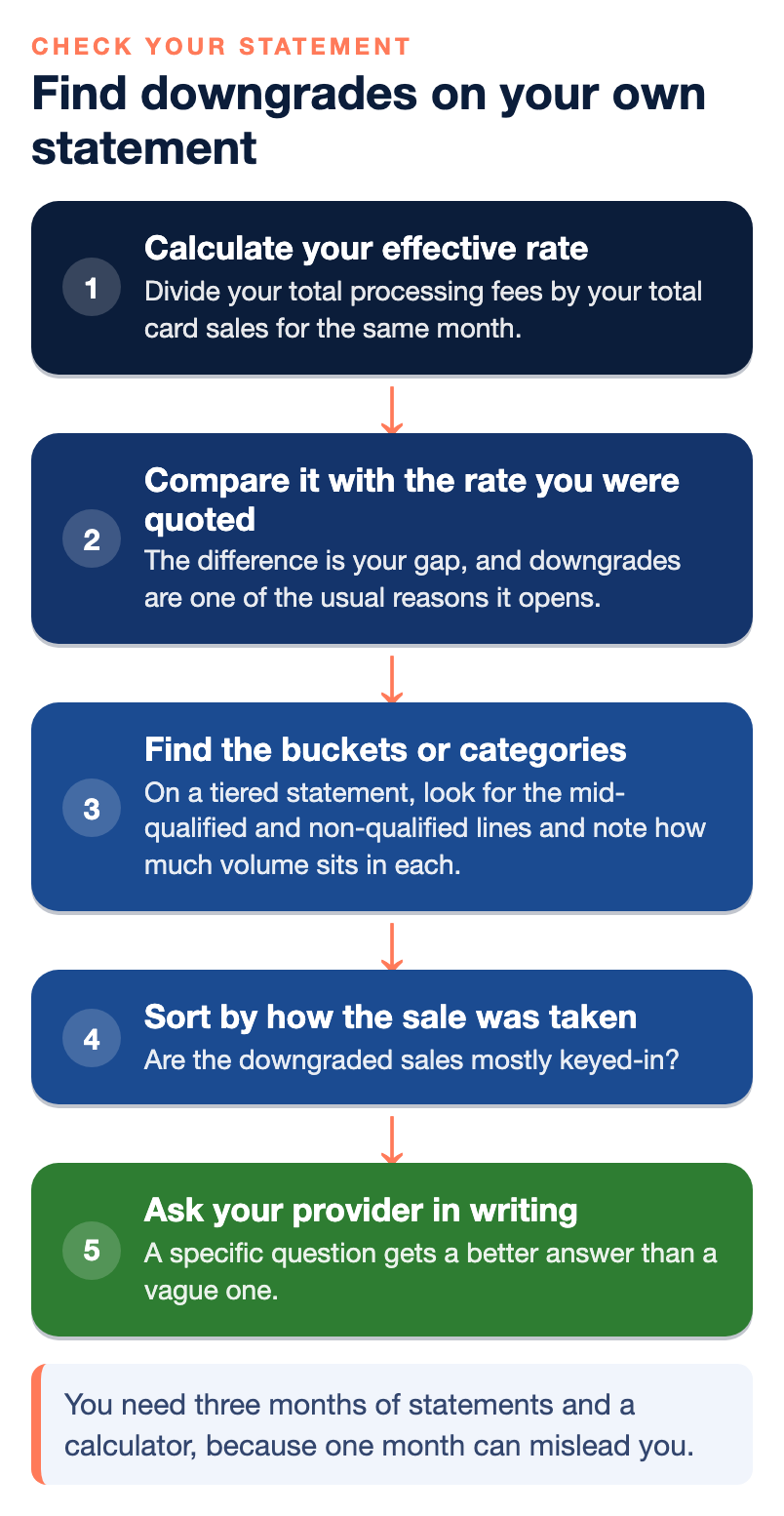
How to find downgrades on your own statement
You do not need special software. You need three months of statements and a calculator.
- Calculate your effective rate. Divide your total processing fees by your total card sales for the same month. Do it for three months, because one month can mislead you. A large refund, a run of keyed-in sales or a seasonal dip can push the number around.
- Compare it with the rate you were quoted. The difference is your gap, and downgrades are one of the usual reasons it opens. Our guide to why your effective rate is higher than the rate you were quoted walks through all seven causes.
- Find the buckets or categories. On a tiered statement, look for the mid-qualified and non-qualified lines and note how much volume sits in each. On interchange-plus, look at the category assigned to each card type.
- Sort by how the sale was taken. Are the downgraded sales mostly keyed-in? Mostly online? Mostly business cards? The pattern points to the cause.
- Ask your provider in writing. A specific question gets a better answer than a vague one. See the list below.
Our broader walk-through, how to read your merchant statement, covers the other lines you will find on the page.
What you can fix, and what you cannot
Be clear about where your control stops. Your processor does not set interchange and cannot discount it. The card networks write the tables, and the issuing banks receive the money. You cannot negotiate interchange or assessments. You can discuss your processor’s markup and its additional fees.
What you can change is what decides where your sales land.
- Batch out every day. Settling on time helps avoid late fees and downgrades. If you rely on a terminal or POS, check whether it closes the batch automatically, and at what hour.
- Collect the data that qualifies a sale. Pass address verification on online and keyed-in sales. For business sales, send accurate invoice details.
- Check your business code. Ask for it in writing and confirm it describes what you sell. If you are in an industry with its own programs, ask whether your account is set up to reach them.
- Take cards in the way that costs least when you can. A chip or tap in person usually costs less than a typed-in card, so keep card-present sales card-present.
- Review after changes. A new way of selling, a new product or a move from one-time sales to subscriptions can change where your sales land. Look at your statement again after any of them.
Also remember that some fees that look like downgrades are not. Fixed monthly fees, a PCI compliance charge or a monthly minimum are separate lines with separate fixes. Our merchant’s guide to what you really pay for card processing sorts the whole bill into its parts.
Questions to ask your provider about qualification
- Which pricing model am I on, and what is your markup on top of the actual card costs?
- How much of my volume was downgraded last month, and what caused it?
- Which of my transactions qualified for the lowest category, and which did not?
- Is the industry code on my account correct for what I sell?
- For my business sales, how is Level 2 and Level 3 data generated and passed, and does it meet current Visa requirements?
- What time does my batch close, and what happens to a sale that misses it?
- What happens to my price if a card is downgraded, and will you tell me when it happens?
If the answers are clear, you have learned where your money goes. If they are vague, that is useful information too. Ask for the answers in writing, based on your own statements.
Who wrote this, and where NPS fits
Nationwide Payment Systems (NPS) publishes this guide. We are a payments company based in South Florida, in business since 2001, and we sell merchant accounts, including interchange-plus pricing, so we have a view on how merchants should be charged. We do not quote interchange rates here because they change, differ by card type and transaction and are published by the networks. When we review an account, we look at the statement, the pricing model, the business code and whether eligible transactions are set up to qualify. You can browse the full library of payments guides.
We are not the right fit for everyone. If the lowest advertised flat rate is the only thing that matters to you, or you want an instant self-service sign-up, a simpler platform will probably suit you better.
Bottom line
The same card costs different amounts because each sale is sorted into an interchange category and only sales that meet the rules reach the cheapest one. A downgrade is a sale that missed a requirement, most often address verification, on-time settlement, accurate business-sale data or a matching business code. Your pricing model decides how visible that miss is. You cannot change the rate tables, but you can fix the handling that decides where your sales land. If you would like a second set of eyes on a statement, you can contact our team, and if your current setup is already right, we will tell you.
Frequently asked questions
What is interchange qualification?
It is the process of sorting each card sale into an interchange category. The lowest-cost category has requirements, and a sale that meets them qualifies. A sale that falls short is charged at a higher category.
What is a downgrade on a merchant statement?
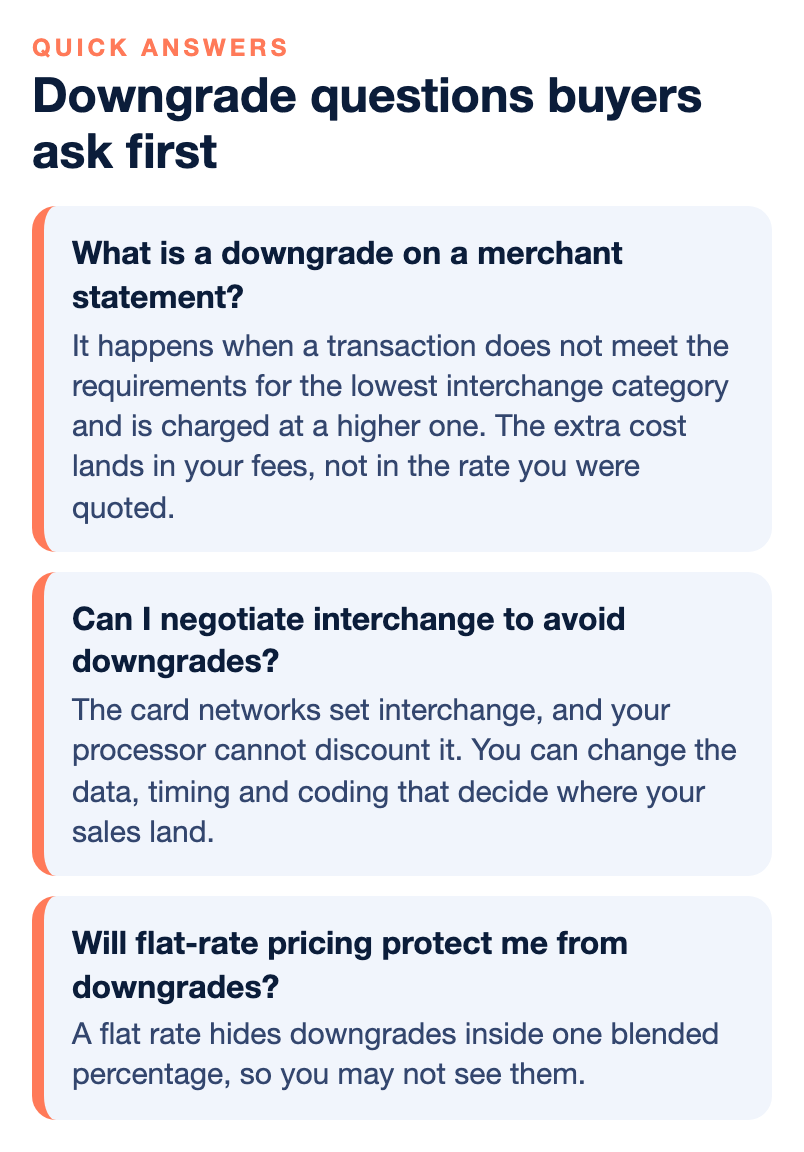
A downgrade happens when a transaction does not meet the requirements for the lowest interchange category and is charged at a higher one. The extra cost lands in your fees, not in the rate you were quoted.
What are the most common downgrade triggers?
Missing address verification data, a batch not settled within 24 hours, a business sale missing a tax ID or invoice data, and a business code that does not match what you sell. On tiered pricing, keyed-in sales can also fall into higher tiers than swiped ones.
What do mid-qualified and non-qualified mean?
They are the higher-cost tiers on tiered pricing. Qualified is the lowest tier, and sales that miss its requirements are placed in the mid-qualified or non-qualified tiers. Seeing those words on your statement usually means you are on tiered pricing.
Can I negotiate interchange to avoid downgrades?
No. The card networks set interchange, and your processor cannot discount it. You can discuss your processor’s markup and fees, and you can change the data, timing and coding that decide where your sales land.
Why did my business card sales stop qualifying for lower interchange?
Visa now requires accurate, dynamic Level 2 and Level 3 data on each transaction, and generic or repeated placeholder values no longer qualify. Ask your provider how the data is generated and which of your sales qualified.
Will flat-rate pricing protect me from downgrades?
A flat rate hides downgrades inside one blended percentage, so you may not see them. You may still pay more than the actual cost of many of your cards, because the processor keeps the difference.