Artificial intelligence can help a store or restaurant catch bad payments before they are approved, but it is one layer in a stack, not a replacement for the basics. NPS describes AI fraud prevention as software that studies transaction patterns, device details and location in real time and flags what looks wrong before authorization. The rest of the stack is plain and cheap: address and security-code checks, chip-only acceptance, trained staff, daily batch review, limits and alerts, and a clear response when something looks off. This guide explains what AI tools do and do not do, the controls every retail and point-of-sale business should have in place first, the scams that most often trick a clerk, and what to do in the first hour when you suspect a stolen card.
The short answer
- AI works before the approval. NPS describes tools that analyze transaction patterns, device fingerprints and geolocation to spot suspicious activity before a payment is authorized.
- The basics still do most of the work. Chip-only acceptance, address and security-code checks, staff training and a daily look at your batches are the low-cost controls NPS recommends first.
- Several common scams target employees. Tricks such as “my card does not work, key it in” are aimed at clerks, not at software.
- AI cannot win a dispute for you. The cardholder’s bank decides most chargebacks, and some in-person losses cannot be won at all, so prevention matters more than evidence.
- Have a response ready. Pause, verify, document and tell your processor quickly. Speed limits the damage.
What “AI” actually does in payment fraud prevention
When a payment company says it uses AI for fraud, it generally means real-time risk scoring before a payment is authorized. NPS lists signals such as:
- Transaction patterns. A sudden run of small test charges, a spike in volume or an unusual order size compared with the business’s normal activity.
- Device fingerprints. Details about the device placing an order, so the same device trying many cards stands out.
- Geolocation. Whether the order’s location makes sense for the card and the shipping address.
Nationwide Payment Systems (NPS) says it helps businesses stay under Visa’s monitoring thresholds with tools that include AI-powered fraud prevention before authorization. That is a statement about what NPS offers, not a guarantee about any one merchant’s results, and no tool stops every bad payment.
It also helps to be clear about what AI does not do. It does not replace staff judgment at the counter. It does not make a customer’s claim true or false after the fact. And it does not decide a dispute. The best approach combines automated screening with human oversight, which is why the rest of this guide spends as much time on people and process as on software.
The foundation: controls every retail and POS business should have first
Before you add anything advanced, check that these are in place. Each one is low cost, and each one closes a door that fraud commonly uses.
For card-present sales at the counter
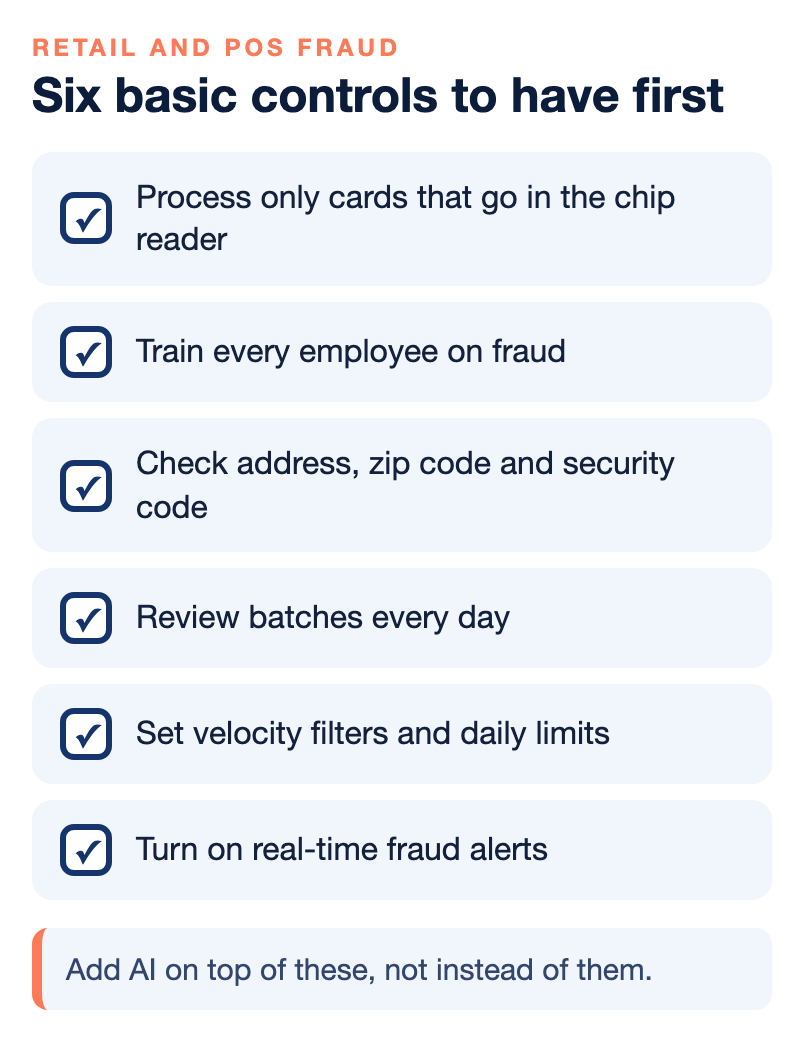
- Process only cards that go in the chip reader. If a customer’s card will not read and insists you type it in, treat that as a warning.
- Train every employee on fraud. Staff should know how to verify identification and follow strict transaction procedures, and they should know who to tell when something feels wrong.
- Give staff a clear way to report. Offer a simple channel so employees can flag suspicious activity right away without worrying about being wrong.
- Use age and ID verification where the product requires it. A point-of-sale system with an ID scanner or age prompt keeps the process consistent for regulated products.
For card-not-present sales: online, phone and keyed-in
- Check the address, zip code and security code (CVV2). Set your filters so you get approvals when those match, and have someone review batches every day.
- Set velocity filters on your website, shopping cart, hosting and gateway, so a flood of attempts from one source is stopped.
- Set daily transaction limits for e-commerce, so one fraud attempt cannot become a large loss.
- Turn on real-time fraud alerts so you hear about suspicious activity quickly.
- Track transactions and shipping addresses. Look for orders going to addresses you have not seen before.
- Call the customer on large web orders and on large or odd phone orders, to verify the purchase and the shipping information.
For the business as a whole
- Use two-factor authentication on internal software, including banking.
- Keep security software current on computers, laptops and websites, and use an SSL certificate on your site.
- Complete your PCI compliance and review your policies yearly or more often.
- Post clear refund and return policies in the store and on the website.
The scams that trick a clerk
Fraudsters aim at the weakest link, and in a store that is usually a busy employee. NPS lists three scams that show up often, especially around the holidays.
- “My card does not work. Key it in.” A customer says the card will not read and insists the clerk type the number. That can lead to unauthorized transactions and chargebacks.
- Fake authorization numbers. The customer gives you an authorization number to enter, tricking you into processing a payment that was never approved. It often ends in a chargeback.
- Shipping to a freight forwarder. On online and phone orders, shipping to a freight forwarder disguises the buyer’s real location and makes the transaction harder to trace.
The defense is the same for all three: a written rule, taught to every employee, that nobody keys in a card or accepts an outside approval number without a manager’s check. Our guide to protecting your business from holiday fraud covers these in more detail.
Why prevention matters more than winning disputes
When a fraudulent payment becomes a chargeback, you are usually fighting uphill. The issuing bank decides most disputes, not the card brands and not your processor, and banks often side with their own customer. In restaurants and bars, stolen-card and chip liability-shift disputes can be lost even when the card was approved and the customer signed the receipt. NPS says it has tried to win these with video and pictures and that the banks do not bend. For that kind of loss, the only real protection is stopping the sale or the card-present mistake in the first place.
That is also why the chargeback alert and dispute tools matter for high-volume sellers. NPS lists RDR, Ethoca and Verifi among the services to consider, particularly for businesses with high volume or digital products. Our chargeback survival guide explains what to keep as evidence when a dispute does arrive.
If you suspect a stolen card: the first hour
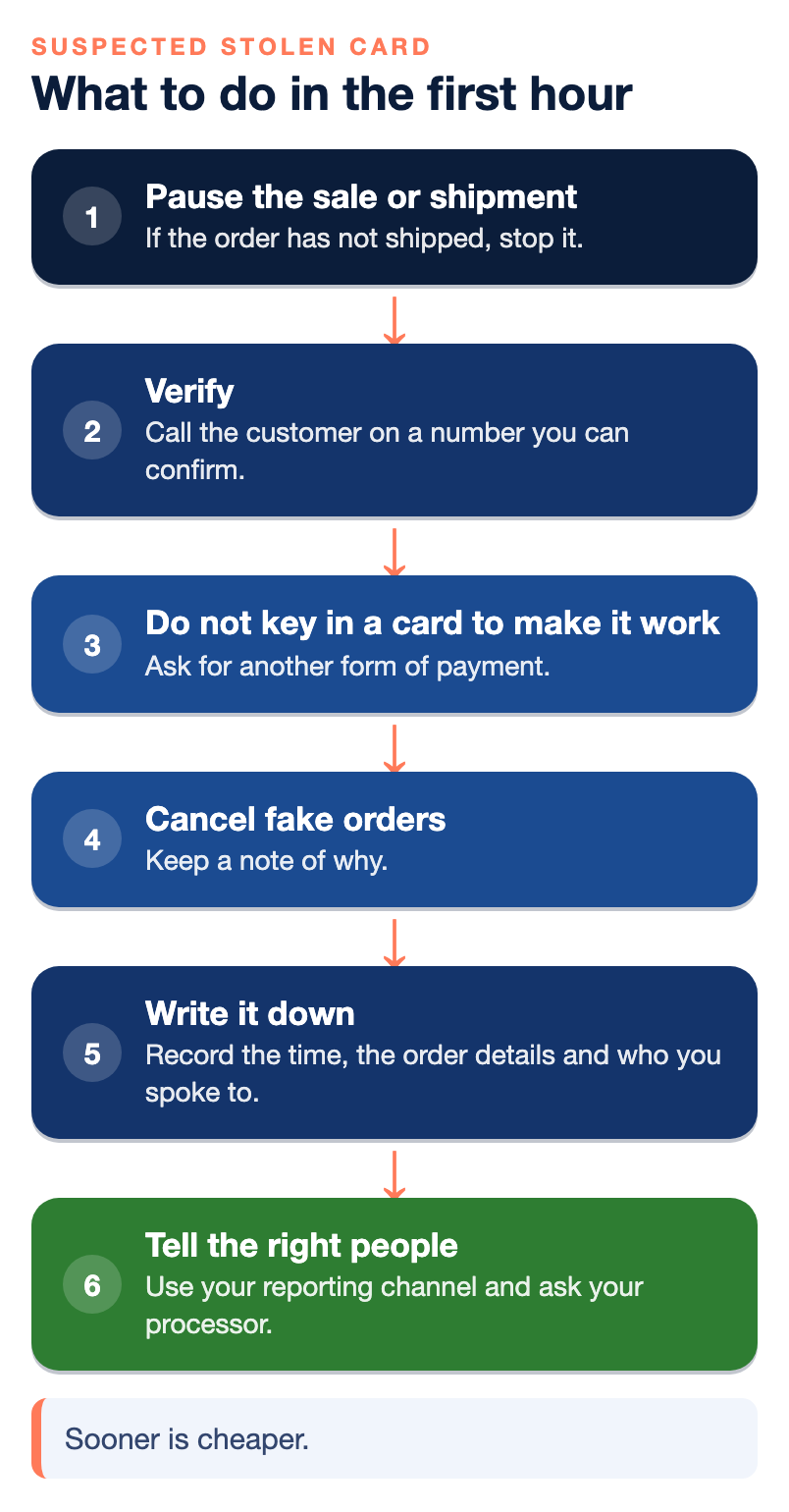
Sooner is cheaper. When something looks wrong, work through these steps in order.
- Pause the sale or shipment. If the order has not shipped, stop it. If a sale has not been completed at the counter, do not complete it.
- Verify. Call the customer on a number you can confirm, check the address and security-code results and look at the shipping address against what you know.
- Do not key in a card to “make it work.” If the chip will not read, ask for another form of payment.
- Delete or cancel fake orders once you are confident they are not real, and keep a note of why.
- Write it down. Record the time, the order details, who you spoke to and what you saw, because that record is the start of your evidence if a dispute follows.
- Tell the right people. Use your internal reporting channel so staff can learn from it, and ask your processor how it wants suspected fraud reported. Take prompt corrective action, such as tightening a filter that let the order through.
Afterward, ask what let it through, and write the answer into your procedures so the next employee does not have to learn it the hard way. If it was a person, update the training. If it was a setting, change the filter. Our guide to balancing fraud screening against customer friction can help you tighten controls without turning good customers away.
Where AI helps most, and where it helps least
| Problem | How much AI helps (our judgment) | What also matters |
|---|---|---|
| Card-testing and bot attacks on a website | A lot, because patterns and device signals show up fast | Velocity filters and daily limits |
| Stolen cards used online | A lot, with address and security-code checks | Calling customers on large orders |
| A clerk keying in a card on request | Very little | A written rule and staff training |
| Stolen-card disputes at the counter | Little after the fact | Chip-only acceptance and ID checks |
| Customers who made a purchase and later dispute it | Some, with alerts | Clear policies, receipts and fast responses |
This table is a way to think about priorities, not a measurement. The point is that technology covers the online side well and the human side poorly, so a store that sells in person and online needs both.
A weekly routine for a store or restaurant
- Review yesterday’s batches. Look for odd amounts, repeat cards and keyed-in sales.
- Check your alerts and filters. Confirm they are on and set the way you want.
- Look at chargebacks and disputes. Sort them into fraud, forgotten purchases and real complaints.
- Refresh staff training. One short reminder a week works better than one long session a year.
- Review one policy or setting. Rotate through refunds, filters, limits and passwords.
Questions to ask any provider about fraud tools
Marketing pages make fraud tools sound complete. These questions turn the pitch into specifics, and the answers are worth having in writing.
- What does your fraud screening actually look at, and is it included or an add-on?
- Can I set my own filters for address, zip code, security code, velocity and daily limits?
- How will I be alerted to suspicious activity, and how fast?
- Which chargeback alert or dispute services do you support, and what do they cost?
- Who reviews my account if my chargebacks start to rise, and when will I hear from them?
- What support do I get when a fraudulent payment slips through?
A provider that answers plainly, and that welcomes questions about what the tools do not cover, is easier to trust than one that promises to stop everything.
Who wrote this, and where NPS fits
Nationwide Payment Systems publishes this guide. We are a payments company based in South Florida, in business since 2001, and we sell merchant accounts, gateways and point-of-sale systems, so we are not neutral. We offer fraud filters and chargeback alert tools, we can train your staff to spot fraud, and we connect you with chargeback management partners. You can read more in our guides to preventing fraud in your business and to address and security-code checks, and browse the full library of payments guides.
We are not the right fit for everyone. If you are a hobby seller with very low volume, if you only want an instant self-service sign-up, if you do not want to provide underwriting documents, or if the lowest advertised flat rate is the only thing that matters to you, a simpler platform will probably suit you better. No provider can promise to stop all fraud, so ask any provider what its tools do, what they cost and what support you get when something slips through.
Bottom line
Use AI where it is strongest, on online payments and automated screening, and do not skip the basics that protect the counter: chip-only acceptance, trained staff, address and security-code checks, a daily look at your batches, limits and alerts. Know the scams that target clerks, have a written first-hour plan, and remember that a lost dispute is far harder to fix than a stopped sale. If you would like help reviewing your fraud settings or your point-of-sale setup, you can contact our team, and if a simpler setup fits you better, we will say so.
Frequently asked questions
How is AI used to reduce payment fraud?
NPS describes AI tools that analyze transaction patterns, device fingerprints and geolocation to flag suspicious activity before a payment is authorized. They work best on online and keyed-in payments and do not replace staff training or basic controls.
Can AI stop all chargebacks?
No. AI can reduce fraud before approval, but the cardholder’s bank decides most disputes, and some in-person stolen-card disputes cannot be won even with strong evidence. Prevention, clear policies and fast responses still matter.
What are the most common scams aimed at store employees?
Three common ones are a customer saying their card does not work and asking you to key it in, a customer handing over a fake authorization number, and online or phone orders shipped to a freight forwarder.
Why should I only accept chip cards in the chip reader?
Because a card that will not read and must be keyed in is a warning sign, and keyed-in sales can lead to unauthorized transactions and chargebacks. Processing only cards that go in the chip reader removes that opening at the counter.
What should I check on online orders?
Check that the address, zip code and security code match, set velocity filters and daily limits, track shipping addresses, and call the customer on large or unusual orders to verify the purchase.
What should I do if I think a stolen card was used?
Pause the sale or shipment, verify the customer, avoid keying in the card, cancel fake orders, write down what happened and tell your processor and your own team quickly. Then fix the setting or training that let it through.
Do I need a chargeback alert service?
It can help if you have high volume or sell digital products. NPS lists RDR, Ethoca and Verifi among the services to consider, and the right choice depends on your business.