A credit card machine takes a payment and nothing else, a point-of-sale system runs the whole sale and the business behind it, and a virtual terminal lets you take a card payment from a web page with no equipment at all. Most small businesses end up needing one of the three, and many need a mix. The right choice depends on how you sell, how many items you carry, whether you have to track inventory or tax and whether customers pay in person, by phone or online. This guide compares the three side by side, shows what each one cannot do, and gives you a short set of questions that points you to the right one.
The short answer
- A credit card machine, or terminal, is built to accept payments. It does not do sales tax reporting, inventory tracking, customer data or accounting connections.
- A point-of-sale system, or POS, is an all-in-one business management hub. It handles reporting, tax, inventory, employees, accounting links and, where needed, age verification.
- A virtual terminal is a secure web portal for keying in card payments. You need no physical card reader, and it suits phone orders, mail orders, invoices and payments made away from the counter.
- Many businesses combine them. A shop might run a POS at the counter and use a virtual terminal for phone orders, all under one merchant account.
- Choose by how you sell, not by which device looks newest.
The three options, one at a time
The credit card machine (terminal)
Credit card terminals were originally built for one job: accepting payments. They can complete the transaction, but they leave gaps in the rest of the business. Specifically, they offer no sales tax reporting, no inventory tracking, no customer data collection and no direct connection to accounting tools. For a very simple business, such as a stand with a short menu and one price list, that can be fine. For a business with regulated products or a large catalog, the gaps can turn into costly problems.
A terminal is usually the lowest-effort way to start taking cards in person. If your needs are simple, a terminal can be enough. If you find yourself writing sales into a spreadsheet to track what you sold, you have probably outgrown it.
The point-of-sale system (POS)
A modern POS works as an all-in-one business management hub. The checkout device is only part of it. Typical features include:
- Detailed reporting by product, category or location.
- Automatic tax calculation for state and local jurisdictions.
- Direct integration with accounting software, such as QuickBooks, and with enterprise resource planning systems.
- Employee performance tracking.
- Inventory control with real-time counts, low-stock alerts and shrinkage detection.
- Age verification tools for regulated products.
- One dashboard across several locations.
The cost is higher at the start than for a plain terminal, and NPS argues the system can pay for itself through fewer errors and penalties, lower shrinkage and time saved on manual work. Treat that as NPS’s view, not a guarantee, and run the numbers for your own store. A POS also comes in different weights. A retail POS built for convenience stores, smoke shops and small retailers is a different tool from a retail management system for large, complicated inventories, and a restaurant POS handles tables, tips and menus rather than barcodes and customer profiles. Our guide to choosing a retail POS goes through the differences.
The virtual terminal
A virtual terminal is a secure online portal that lets a merchant process card payments without a physical card reader. You log in to a website or an app and key in the payment. It mainly helps e-commerce sellers, mail-order companies and brick-and-mortar stores that want more ways to be paid. It is also useful for:
- Phone orders, where the customer reads you the card number.
- Office payments and business-to-business billing.
- Professional services, where fees are collected after the work.
- Sending an invoice or a payment request by text or email, with the option for customers to add a tip.
NPS says its virtual terminal supports major credit and debit cards, Apple Pay and Google Pay, and ACH or e-check payments, and that it can link physical devices to it too. Because card details are keyed in, a virtual terminal payment is a card-not-present payment. NPS lists card-present versus keyed-in as a factor in your rate, so ask how keyed-in sales are priced. Our explainer on virtual terminals covers the basics.

Side by side
| Question | Credit card machine | POS system | Virtual terminal |
|---|---|---|---|
| Takes card payments in person | Yes | Yes | Only if keyed in or linked to a device |
| Takes payments by phone or invoice | Not designed for it | Sometimes, depending on the system | Yes |
| Tracks inventory | No | Yes | Limited, so ask |
| Calculates and reports sales tax | No | Yes | Limited, so ask |
| Connects to accounting software | No | Yes | Depends on the setup |
| Needs equipment | Yes, a terminal | Yes, a station or tablet and peripherals | No, a web browser |
| Best for | Very simple counter sales | Stores and restaurants that manage items, staff and tax | Phone orders, invoices and remote sales |
The table draws on how NPS describes terminals and POS systems. Virtual terminal features vary by product, so check any specific system against your needs.
Five questions that point you to the right one
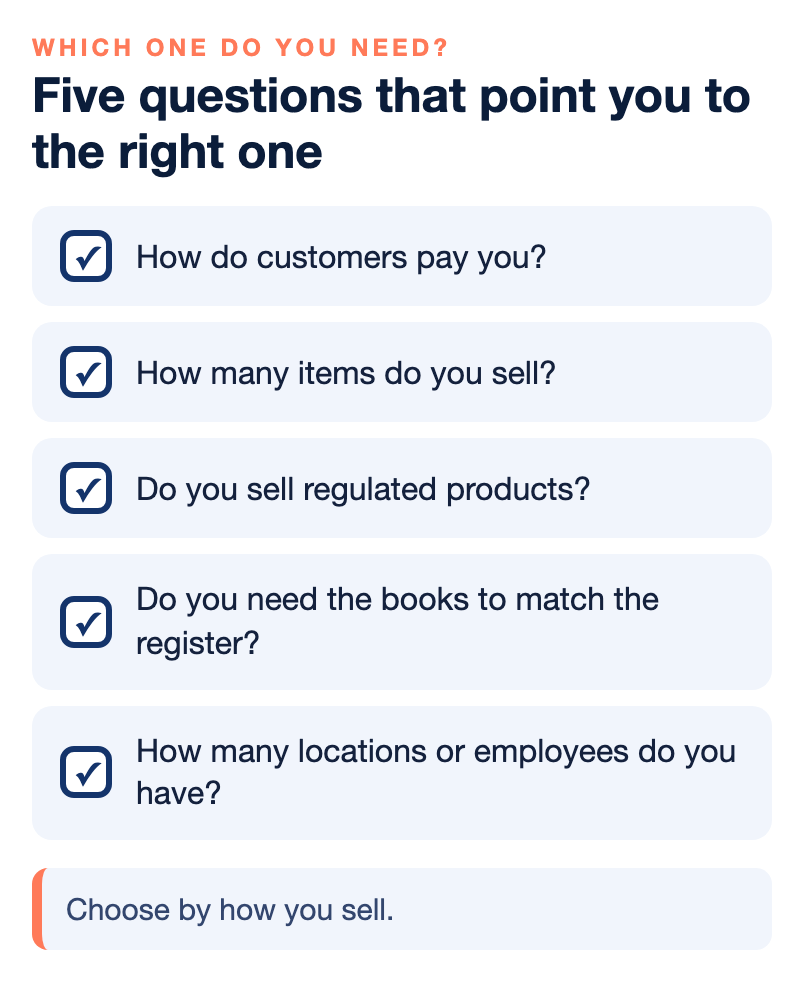
- How do customers pay you? In person only points to a terminal or POS. Phone, mail or invoice points to a virtual terminal. A mix points to more than one.
- How many items do you sell? If you carry hundreds of items, or thousands, you will want a POS with inventory control. Ask any system how it handles your item count.
- Do you sell regulated products? Liquor, tobacco and similar products usually call for age verification and tax reporting, which a basic terminal does not provide.
- Do you need the books to match the register? If you use QuickBooks or another accounting tool, a POS or a virtual terminal with an accounting connection saves manual entry.
- How many locations or employees do you have? Central reporting and employee tracking point to a POS.
Common setups, by type of business
- A small shop with a simple catalog: a terminal may be enough, with a virtual terminal added if phone orders start.
- A retailer with a larger catalog, regulated products or several registers: a POS system, with a virtual terminal for phone and invoice payments.
- A restaurant or bar: a restaurant POS with tips and pay-at-the-table options. Our guide to POS systems for a small restaurant or bar explains what to look for.
- A service business: a virtual terminal and invoices with payment links, since there is no counter.
- An online seller: a gateway on the website, plus a virtual terminal for phone orders.
- A business that sells in the field: mobile payments through a phone or tablet, with a virtual terminal as a backup.
Starting small is a sound plan. A business can begin with a terminal or a virtual terminal, learn how customers actually pay and then move to a POS system when inventory, tax or staffing demands grow. The move is easier when the merchant account stays the same and only the tools on top of it change, so ask any provider whether you can upgrade without opening a new account or starting over.
For online and gateway choices, see our guide to choosing a payment gateway, and for the move from a terminal to a full system, our note on going from terminals to POS systems.
Costs and trade-offs to ask about
NPS does not publish one universal rate, and neither should you expect to see one for any of these tools. Pricing depends on your volume, ticket size, how you take payments, equipment and risk. When you compare options, ask:
- What do I pay for the equipment or software, and is it bought, leased or a monthly fee?
- Which processing rate or model applies to card-present, keyed-in and online sales?
- What is included: reporting, inventory, tax, support, updates?
- What happens to my data and my setup if I leave?
- Who do I call when it stops working?
Remember that card-present versus keyed-in is a factor in your rate, so a business that mostly keys in cards on a virtual terminal should check its pricing model carefully. Our guide to reading your merchant statement shows where to see it.
Four mistakes to avoid when you choose
NPS’s guidance on common POS system mistakes includes these four.
- Not assessing what the business really needs. Separate the must-have features from the nice-to-have ones, and count how many items you stock. Inventory size changes the answer.
- Ignoring growth. Check that the system can handle more transactions, more users, more terminals and new locations as you expand, and that it can connect to your other systems.
- Skipping training. The best system becomes a liability when staff do not know how to use it. Plan initial training and regular refreshers, and give new hires a guide written for your business.
- Using only the basic functions. If you pay for reporting, inventory and integrations and never switch them on, you lose most of the value.
The same thinking applies to a terminal or a virtual terminal. Whatever you choose, write down what you expect it to do, check it does those things in the first month and ask for help if it does not.
Four habits that keep a POS system working after you choose it
Choosing the system is half the job. NPS’s guidance on common POS mistakes also covers what happens after installation, and four habits matter most.
- Set reorder points and alerts. Without automatic reorder alerts, stockouts cause missed sales. Set a reorder point for each product, turn on alerts in the system and adjust the levels as sales trends change.
- Keep the software and hardware maintained. Skipped updates can mean missing features, security exposure and compatibility problems with other systems. Turn on automatic updates, keep hardware clean, run regular system checks and back up your data often.
- Lock down access. Give each employee a unique login, set access levels by role, use strict password rules and make sure the system uses end-to-end encryption. Weak permissions can lead to unauthorized access, internal theft or compliance problems.
- Use support and training. Make sure staff know how to report a problem promptly, keep the support contact details where everyone can find them and use the vendor’s training resources, including sessions on advanced features for key staff.
The same habits apply to a terminal or a virtual terminal in a smaller way: keep the software current, protect the logins and know who to call. A tool that is set up well and kept up pays off for longer than one that is bought and forgotten.
Who wrote this, and where NPS fits
Nationwide Payment Systems publishes this guide. We are a payments company based in South Florida, in business since 2001, and we sell terminals, POS systems, virtual terminals and merchant accounts, so we are not neutral. We offer several terminals and POS systems, including a retail POS option for smaller retailers and NCR Counterpoint for larger specialty retail. You can browse the full library of payments guides for more.
We are not the right fit for everyone. If you are a hobby seller with very low volume, if you only want an instant self-service sign-up, if you do not want to provide underwriting documents, or if the lowest advertised flat rate is the only thing that matters to you, a simpler platform will probably suit you better. Whichever tool you pick, ask for the price and the terms in writing.
Bottom line
A terminal takes payments, a POS runs the business around the payment, and a virtual terminal takes payments without a device. Pick by how you sell, how many items you carry, what you are required to track and whether the books need to match the register. Many small businesses end up with two of the three, and that is normal. If you would like help matching a setup to your business, you can contact our team, and if a simpler setup fits you better, we will say so.
Frequently asked questions
What is the difference between a credit card machine and a POS system?
A credit card machine is built to accept payments and does not track inventory, report sales tax or connect to accounting tools. A POS system is an all-in-one business management hub that adds reporting, tax calculation, inventory control, employee tracking and accounting integration.
What is a virtual terminal?
A virtual terminal is a secure online portal for processing card payments without a physical card reader. You log in to a website or app and key in the payment, which suits phone orders, mail orders, invoices and payments away from the counter.
Do I need a POS system or is a terminal enough?
A terminal can be enough for very simple counter sales. If you track inventory, sell regulated products, need tax reporting, run several locations or want your books to match your register, a POS system fits better.
Can I use a virtual terminal and a POS together?
Yes. Many businesses run a POS at the counter and a virtual terminal for phone orders, invoices and remote payments, all under one merchant account.
Are keyed-in payments priced differently from card-present payments?
Card-present versus keyed-in is one of the factors that affects the rate a merchant pays. Ask any provider how keyed-in and online sales are priced under your pricing model.
Can a virtual terminal accept ACH?
NPS says its virtual terminal can support ACH or e-check payments as well as cards, and that it can send invoices and payment requests by text or email. Ask any provider which payment types are included.
Do POS systems help with age verification?
Many POS systems include age verification tools for regulated products such as liquor and tobacco. If you sell age-restricted items, ask any system how it handles ID checks.