A pay-by-link payment solution for B2B invoicing puts a secure payment link on every invoice you send, so your business customer can open it, see the amount and pay by ACH or card in a minute, instead of mailing a check or reading a card number to your office over the phone. The link opens a hosted payment page, the payment is recorded against that invoice, and in a well-built setup it flows into your accounting software without anyone keying it in. For a supplier, contractor or service firm that bills other businesses, that is often the single biggest change it can make to how fast it gets paid. This guide explains how pay-by-link works for B2B invoices, what a B2B setup needs that a basic link does not, and how to choose one.
The bottom line
- Pay-by-link turns an invoice into a payment page. The customer clicks, reviews and pays with their own payment details, which removes check delays and phone-payment errors.
- B2B invoicing needs more than a basic link. Look for ACH alongside cards, partial payments and deposits, reminders, accounting sync and control over which payment options appear and when.
- Offering both ACH and card is usually the right default. ACH is often far less expensive on large invoices, and a card option can turn a slow receivable into a payment today.
- The link is only as good as the payment policy behind it. Decide when cards are accepted, whether any fee applies and how long a link stays payable, then set the tool to enforce it.
Who wrote this, and what we will not claim
Nationwide Payment Systems (NPS) publishes this guide. We are a payment processing company in South Florida, in business since 2001, and we sell an invoicing and payment-link product, NPSONE Smart Invoicing, so we are not neutral. We do not quote rates on this page, because the cost of card and ACH payments depends on your industry, your volume, your average invoice and the cards your customers use. Rules about passing card fees to customers vary by card brand and by state, so we describe them generally and suggest you confirm them before you add a fee. Our shorter piece on payment links for business covers links in general. This page is about the B2B invoice specifically.
How pay-by-link works on a B2B invoice
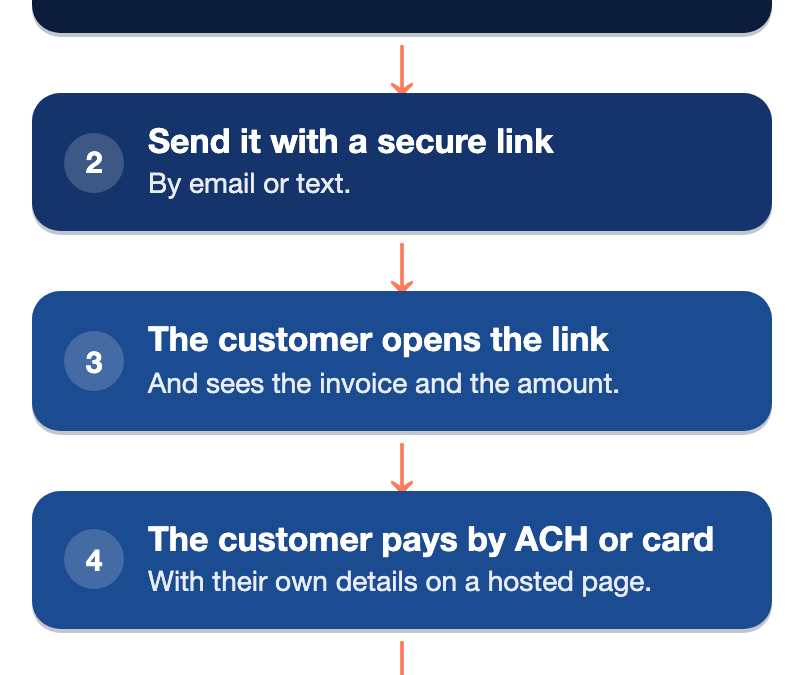
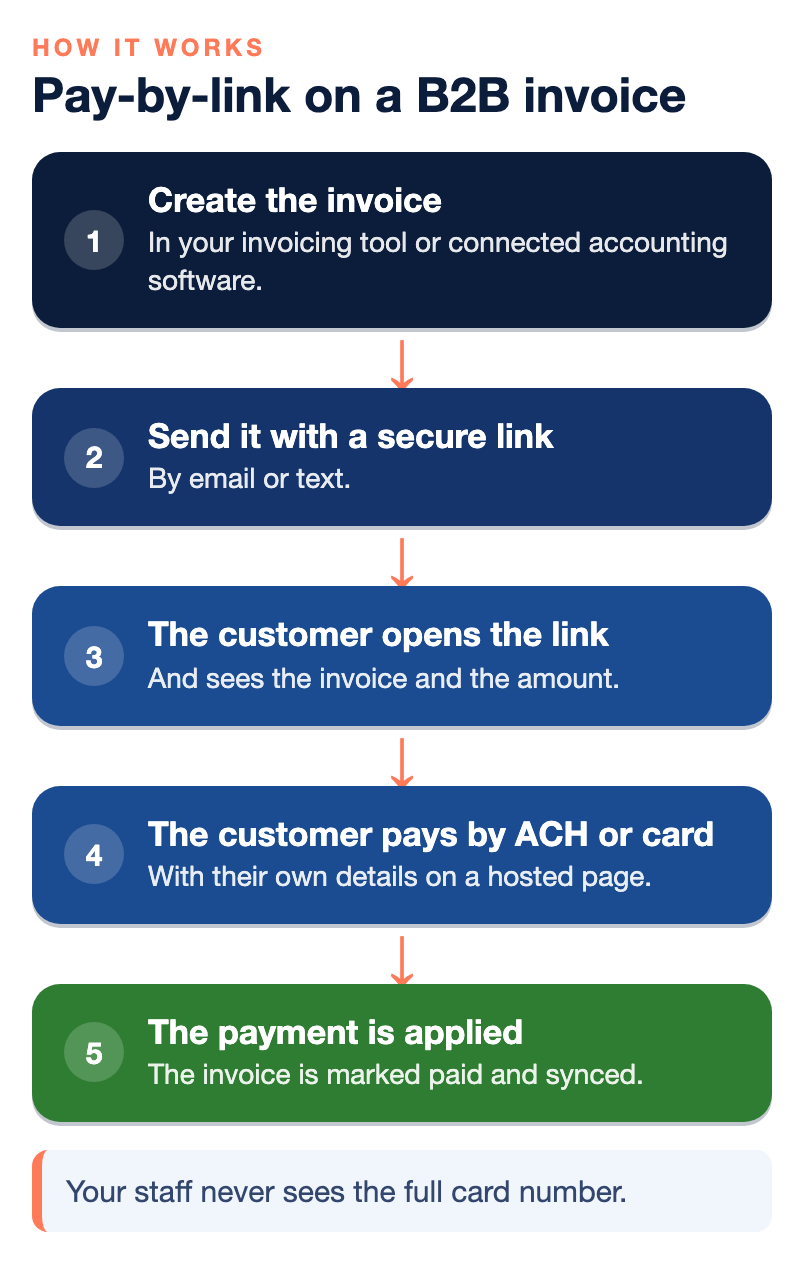
The mechanics are simple, which is part of the appeal. You create an invoice, either in your invoicing tool or in accounting software connected to it. The system generates a secure link tied to that invoice. You send the invoice by email or text, and the link goes with it. Your customer’s accounts payable person opens the link, sees the invoice and the amount, picks a payment method you allow, such as ACH or card, and enters their own payment details on a hosted page. The payment is applied to that invoice, you get notified, and the invoice is marked paid.
Compare that with the two ways most B2B invoices still get paid. A paper check has to be cut, approved, mailed, received, deposited and cleared, and every one of those steps is a place where days disappear. A phone payment means someone reads a card number aloud, someone else types it, a digit gets transposed, the wrong card is charged and a refund follows. Phone payments also put card numbers into notes, emails and spreadsheets where they should never be. A payment link removes both problems, because the customer enters their own information on a secure page and your staff never sees the full card number.
Why B2B invoices need more than a basic payment link
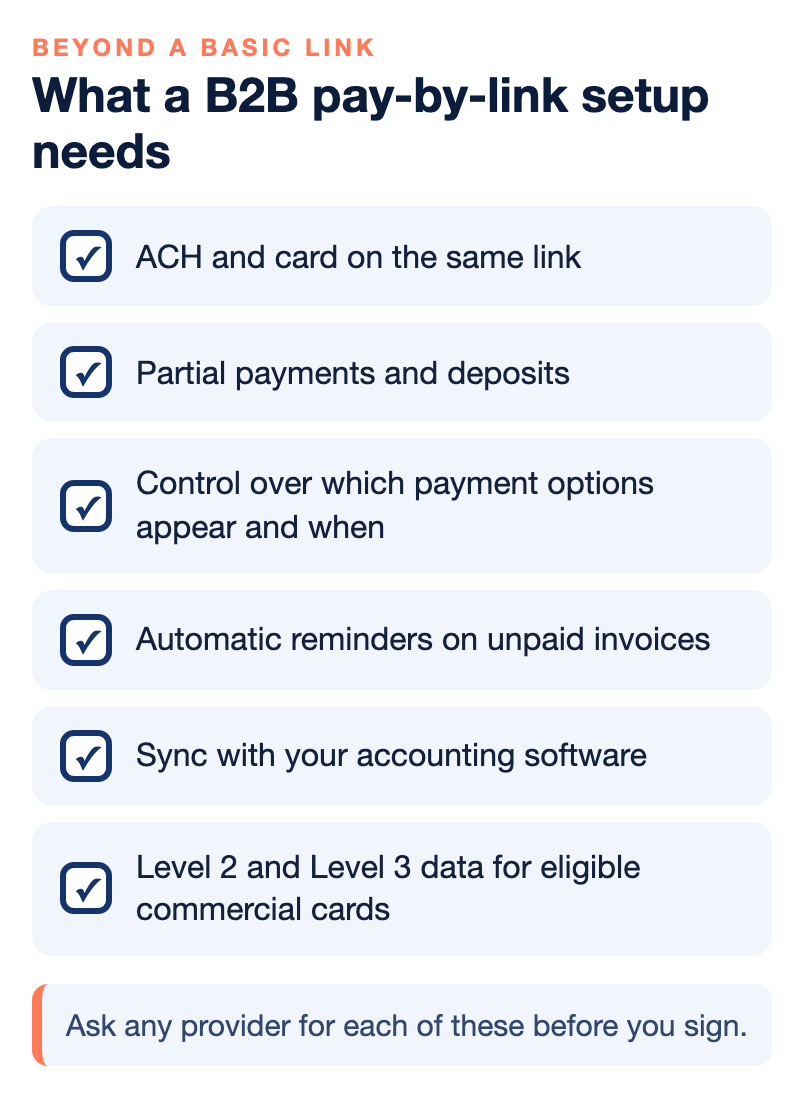
A payment link on its own is a small thing. Many tools can produce a link for a fixed amount, and for a one-off consumer sale that may be all you need. B2B invoicing is different in ways that matter, because the amounts are larger, the customers are repeat accounts with their own approval processes, and the person paying is often not the person who ordered. Here is what separates a B2B pay-by-link solution from a basic one.
| Feature | Why it matters for B2B |
|---|---|
| ACH and card on the same link | Lets the customer choose, and lets you steer large invoices toward ACH. |
| Partial payments and deposits | Covers deposits before production, progress billing and customers who pay in parts. |
| Control over payment options | Lets you decide when a card option appears and when only ACH is offered. |
| Automatic reminders | Follows up on unpaid invoices without someone in your office chasing each one. |
| Accounting sync | Marks invoices paid in your books and cuts manual reconciliation. |
| Level 2 and Level 3 data | Can lower costs on eligible commercial and purchasing card payments when the right data is passed. |
ACH and card, side by side
Some business customers want to pay by card because of rewards, a corporate card program or their own cash flow. Others want to pay straight from a bank account. A good B2B setup offers both on the same link. For you, ACH is often considerably less expensive than a percentage-based card payment on a large invoice, which is why so many suppliers prefer it. A card option still has value, because if accepting a card turns a 45-day receivable into a payment today, the effect on your working capital can be worth more than the fee. Our guide on why B2B businesses should stop being their customers’ bank goes into that trade-off in detail.
Deposits, partial payments and progress billing
B2B work rarely gets paid in one clean amount. A manufacturer may need a deposit before it starts production. A contractor bills in stages as the job moves forward. A distributor’s customer may pay part of a large invoice now and the rest next month. The link has to handle all of that and keep the remaining balance accurate, or your staff ends up tracking balances by hand, which defeats the purpose.
Rules about which payment options appear
This is the feature most businesses do not know to ask for. With rules-based payment acceptance, the payment options on an invoice can change based on timing or invoice status. For example, a customer might be able to pay by card or ACH for the first 10 or 15 days after the invoice is sent, after which the card option disappears and only ACH remains. That rewards prompt payers who want to use a card while keeping you from paying card fees on an invoice you have already financed for a month or two. It turns a payment policy that would otherwise live in a memo into something the system enforces on every invoice.
Accounting sync and Level 3 data
If your invoices start in accounting software, the payment link should connect to it, so a paid invoice is marked paid in your books without someone matching deposits to invoices at month end. For businesses that take commercial, purchasing, fleet or government cards, passing Level 2 and Level 3 data, such as line items and tax details, may qualify eligible transactions for lower interchange costs. Whether it helps depends on which cards your customers use and how the data is set up, so ask for an analysis before you assume savings.
Fees on card payments: what to know before you add one
Many B2B businesses that offer card payments on invoices want to pass some or all of the card cost to the customer who chooses it, while keeping ACH free. That can be a reasonable policy, but the rules matter. Card brands have requirements for surcharges and convenience fees, including disclosure and limits, and some states have their own rules. Debit cards are treated differently from credit cards. Dual pricing, where the price shown depends on payment method, has its own requirements.
Before you add any fee to a payment link, get the specific rules for your business and your states from your processor in writing, and make sure the tool shows the fee clearly before the customer pays. Getting this wrong can lead to complaints and card brand problems, and it is easy to avoid by asking first.
How to choose a pay-by-link solution for B2B invoicing
Start with how you invoice today, not with a feature list. If your invoices start in QuickBooks Online, Xero or Sage Intacct, the payment tool has to connect to that system cleanly. If your customers are mostly other businesses with large invoices, ACH should be built in, not bolted on. Then work through these questions with any provider you consider.
- Can one link offer both ACH and card, and can I control which options appear and when?
- Does it handle deposits, partial payments and recurring invoices for repeat accounts?
- Does it sync with my accounting software, including fees and refunds, or only the payment amount?
- Can it send invoices and links by both email and text, with automatic reminders?
- Does the payment page show my business name and branding, so customers trust it?
- Does it support Level 2 and Level 3 data for commercial cards, if my customers use them?
- What are the costs for card and ACH payments, the monthly fee and any contract terms, in writing?
- When something goes wrong, can I reach a live person who can see both the invoice and the payment?
If you sell through an online store as well, our article on the best B2B payment gateway for manufacturers and distributors covers the gateway side. And if you are new to how card acceptance works behind the scenes, our explainer on what a merchant account is is a good starting point.
Common mistakes with B2B payment links
The most common mistake is sending a link without a policy. If the link accepts any card, any time, with no fee and no cutoff, the business will often end up paying card costs on its largest invoices from its slowest-paying customers, which is exactly backward. The second is treating a payment link as separate from the invoice. A link for an amount that does not tie back to an invoice number creates reconciliation work rather than removing it.
The third is forgetting the customer’s side. Accounts payable teams at larger companies have their own approval steps, and a link that expires quickly or cannot be forwarded to the right person can slow payment down. Make sure links stay payable long enough to fit your customers’ process. The fourth is skipping the conversation with your processor when invoice payments grow. If you move from taking a few card payments a month to running large invoices by card, tell your processor, because a sudden change in volume or average ticket can trigger a review.
Where NPS fits, and where it does not
Our NPSONE Smart Invoicing sends invoices with secure payment links by email or text. Customers can pay by card, ACH, Apple Pay, Google Pay or other methods depending on setup, and the tool handles deposits, partial payments, recurring invoices and reminders. Businesses can control payment options, including removing the card option after a set point and leaving ACH available. Smart Invoicing can connect with accounting platforms such as QuickBooks Online, Xero and Sage Intacct, and our guide to QuickBooks Online smart invoicing shows how that works for QuickBooks users. We also offer Level 2 and Level 3 processing support for B2B card payments. Accounts come with live, U.S.-based support around the clock and a dedicated account manager.
Here is where we may not be the right choice:
- Very low volume or a hobby business. We may not be the best fit for sellers with very low processing volume.
- You want instant self-service signup. We underwrite each account, so there is a short setup process.
- You would rather not provide underwriting documents. We will ask for them.
- You are choosing only on the lowest advertised flat rate. We price each merchant individually.
- You send a few invoices a year. If invoicing is rare for you, a simpler tool may be all you need.
Next step
A payment link does the most good when it sits on every invoice and follows a clear policy about how and when customers can pay. Decide your policy first, then choose a tool that enforces it and connects to your books. You can find more practical guides in our payments guides library. If you want to see how pay-by-link would work with your current invoicing, you can talk with our team.
Frequently asked questions
What is pay-by-link for B2B invoicing?
It is a secure payment link attached to an invoice that opens a hosted payment page for that invoice. Your business customer clicks it, reviews the amount and pays by ACH or card with their own details. The payment is applied to the invoice, and in a connected setup it syncs to your accounting software.
Is a payment link safe for business customers?
A well-built payment link is generally safer than taking card numbers by phone or email, because the customer enters their own details on a secure hosted page and your staff never handles the full card number. Look for a provider built on PCI-compliant systems with encryption and tokenization. Customers should also be able to see your business name clearly so they know the link is genuine.
Can customers pay a B2B invoice link by ACH?
Yes, if the solution supports it, and for B2B invoicing it should. Offering ACH alongside cards lets customers pay from a bank account, which is often much less expensive for you on large invoices. Ask whether ACH is built into the same link or handled separately.
Can I stop accepting cards on an invoice after a certain date?
Some tools allow it. With rules-based payment options, an invoice can offer card and ACH for a set number of days, then remove the card option and leave ACH. That encourages prompt payment without paying card fees on invoices you have already carried for weeks.
Can I charge a fee to customers who pay an invoice link by card?
Sometimes, but card brand rules and some state laws limit how surcharges and convenience fees work, and debit cards are treated differently. Get the specific rules for your business and states from your processor in writing before you add a fee, and make sure the fee is shown clearly before payment.
Do payment links work with QuickBooks or other accounting software?
Many do. A good B2B setup connects to accounting platforms such as QuickBooks Online, Xero or Sage Intacct so paid invoices are marked paid automatically. Ask how fees, refunds and partial payments show up in the sync, not only the payment amount.
How is a B2B payment link different from a regular payment link?
A regular link usually collects a fixed amount once. A B2B solution ties each link to an invoice and adds the things business billing needs, such as ACH, deposits and partial payments, reminders, accounting sync and control over payment options. Some also pass Level 2 and Level 3 data for commercial cards.