When a customer taps a card or phone, the payment terminal’s antenna creates a short-range radio field, the chip in the card or phone wakes up inside that field, and the two exchange a short conversation that ends with the chip handing over an account number and a one-time security code generated for that single purchase. What leaves your terminal is that transaction message, sent onward to your processor, the card network and the bank that issued the card. What does not leave is the chip’s secret keys, and with a phone wallet, the customer’s real card number. This guide walks through the hardware, the conversation and the data, in plain language, and explains what it means for you as the merchant.
The short answer
- Tap to pay runs on near-field communication, or NFC. It works only over a very short distance, which is why the customer has to hold the card or phone close to the reader.
- A contactless card has no battery. The terminal’s field powers the chip long enough to complete the exchange.
- Every tap produces a one-time code. The chip uses secret keys that never leave it to create a code that is valid for that one transaction, which makes copied data far less useful to a thief.
- Phones send a stand-in number. Apple Pay, for example, sends a device-specific account number and a transaction-specific code, not the customer’s actual card number.
- Your job is the setup around it. A contactless-ready terminal, a processor that supports wallets, encryption from the terminal onward and staff who know how a tap should look.
Who wrote this
Nationwide Payment Systems (NPS) publishes this guide. We have worked with merchants since 2001, and we sell payment terminals, POS systems and merchant accounts, so we are a seller here. Payment technology is set by card-network and industry specifications that differ by card brand, device and region, so this is a general explanation rather than a technical specification. Where we describe a specific wallet, we rely on that company’s own published description.
The hardware inside a tap
Three pieces of hardware do the work in a contactless payment, and it helps to picture each one.
The terminal’s antenna and reader
Under the contactless symbol on a terminal, the one that looks like four curved lines, sits a coil antenna. When the terminal is ready for a payment, it sends a current through that coil, which creates a small radio field just above the screen or reader. The field is designed to be weak and short-range on purpose. A card in a wallet across the counter is not supposed to be readable, and a card held right at the reader is.
The terminal also contains its own secure processor, which handles the payment application, protects encryption keys and talks to the outside world through your network or a cellular connection. This part is built to resist tampering, because it is the piece that touches card data first.
The chip and antenna in the card
A contactless card has a thin antenna running around the inside edge of the plastic, connected to the same kind of chip used for dipping the card. When the card enters the terminal’s field, the antenna picks up enough energy to power the chip for the fraction of a second the exchange takes. No battery is involved. That is why a card can sit in a drawer for years and still tap.
The phone’s NFC controller and secure element
A phone does the same job with more parts. Its NFC antenna and controller handle the radio side, and the payment credentials sit in protected hardware. On an iPhone, Apple describes this as the Secure Element, an industry-standard certified chip, with the NFC controller routing communication between the phone’s main processor and the Secure Element. Before the phone will pay, the customer usually authorizes the payment with a fingerprint, face scan or passcode, which is one reason wallet payments are considered strong on security.
The conversation, step by step
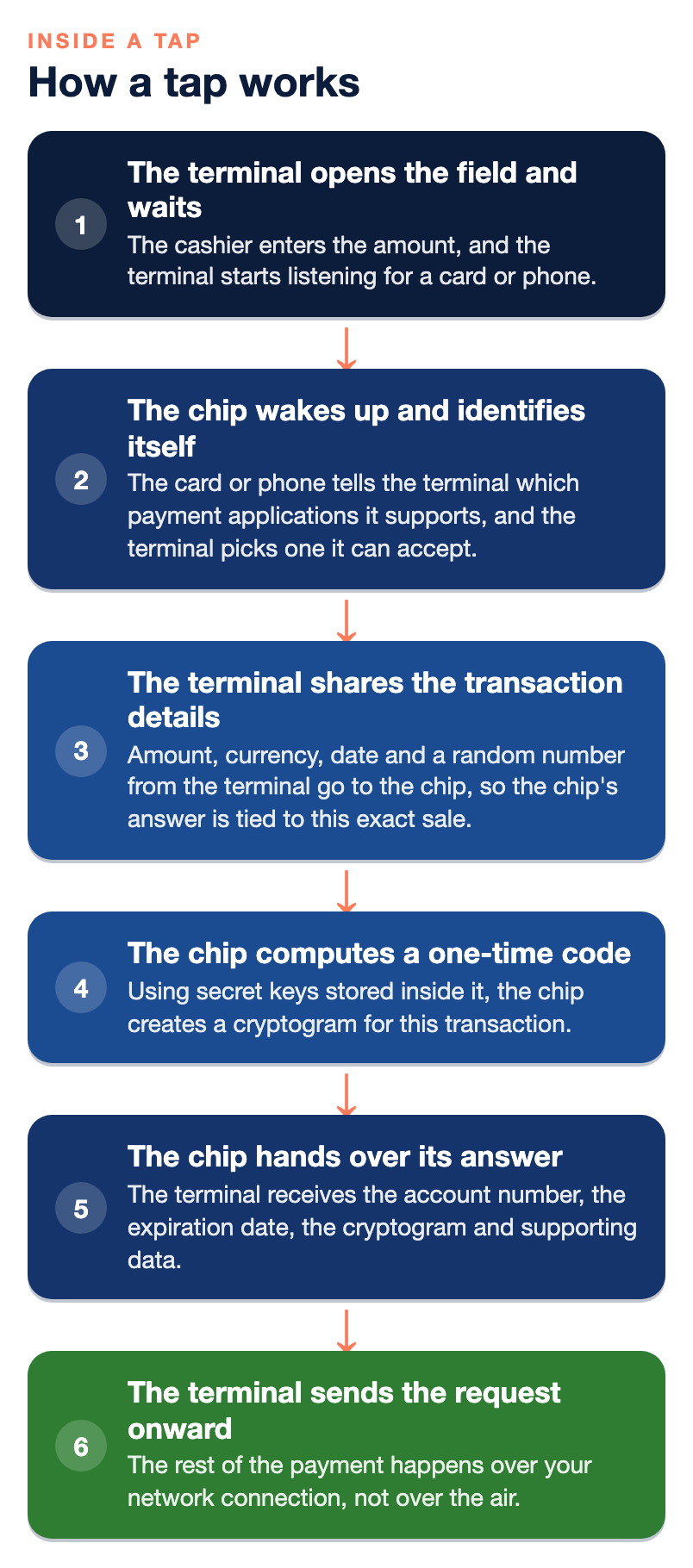
The exchange between chip and terminal follows industry specifications for contactless payments. The details vary by card brand and device, but the general shape looks like this.
- The terminal opens the field and waits. The cashier enters the amount, and the terminal starts listening for a card or phone.
- The chip wakes up and identifies itself. The card or phone tells the terminal which payment applications it supports, such as a particular card brand, and the terminal picks one it can accept.
- The terminal shares the transaction details. Amount, currency, date and a random number from the terminal go to the chip, so the chip’s answer is tied to this exact sale.
- The chip computes a one-time code. Using secret keys stored inside it, the chip creates a cryptogram for this transaction. EMVCo, the body that manages the chip specifications, describes it simply as a one-time security code generated for every transaction to protect against fraud.
- The chip hands over its answer. The terminal receives the account number, the expiration date, the cryptogram and supporting data. The customer can pull the card away. The radio part is finished.
- The terminal sends the request onward. The rest of the payment happens over your network connection, not over the air.
For many purchases there is no PIN or signature. For larger amounts, or when the issuing bank asks for it, the terminal may prompt for a PIN or ask the customer to insert the card instead. That is normal and does not mean anything is wrong with the card.
What data leaves the terminal
This is the question most merchants actually care about. Once the tap is done, the terminal builds an authorization request and sends it to your processor, which passes it through the card network to the bank that issued the card. That message typically includes:
- An account number. For a physical contactless card, this is generally the card number. For a phone wallet, it is a stand-in number tied to that device.
- The expiration date and other card data the network requires.
- The one-time cryptogram, which the issuing bank checks to confirm the payment came from the genuine chip and was not replayed.
- The transaction details, such as amount, date, currency and your merchant information.
- Terminal and entry data, which tell the bank the payment was contactless and from which kind of device.
The bank checks the cryptogram, the account and the available balance or credit, then sends back an approval or a decline. That answer travels the same path in reverse to your terminal, usually in a couple of seconds.
What does not leave
- The chip’s secret keys. They stay inside the card or phone. The terminal only ever sees the code they produce.
- The three-digit security code printed on the back of the card. That code is used for card-not-present purchases and is not part of a tap.
- The real card number, for phone wallets. Apple says that for in-store payments, neither Apple nor the device sends the actual payment card number. The Secure Element provides the device account number along with a transaction-specific dynamic security code, which the issuer can check before approving.
- The customer’s fingerprint or face data. Biometric checks happen on the phone and are not sent to you.
Why a tap is harder to copy than a swipe
A magnetic stripe holds the same data every time it is swiped. If someone copies it, they can write it onto another card and use it until the bank notices. A chip, whether dipped or tapped, produces a different cryptogram for every transaction, tied to that sale’s details and the terminal’s random number. A copied cryptogram from yesterday’s coffee does not approve today’s laptop. EMVCo describes contactless as using advanced cryptographic functions for more secure transactions than magnetic stripe cards.
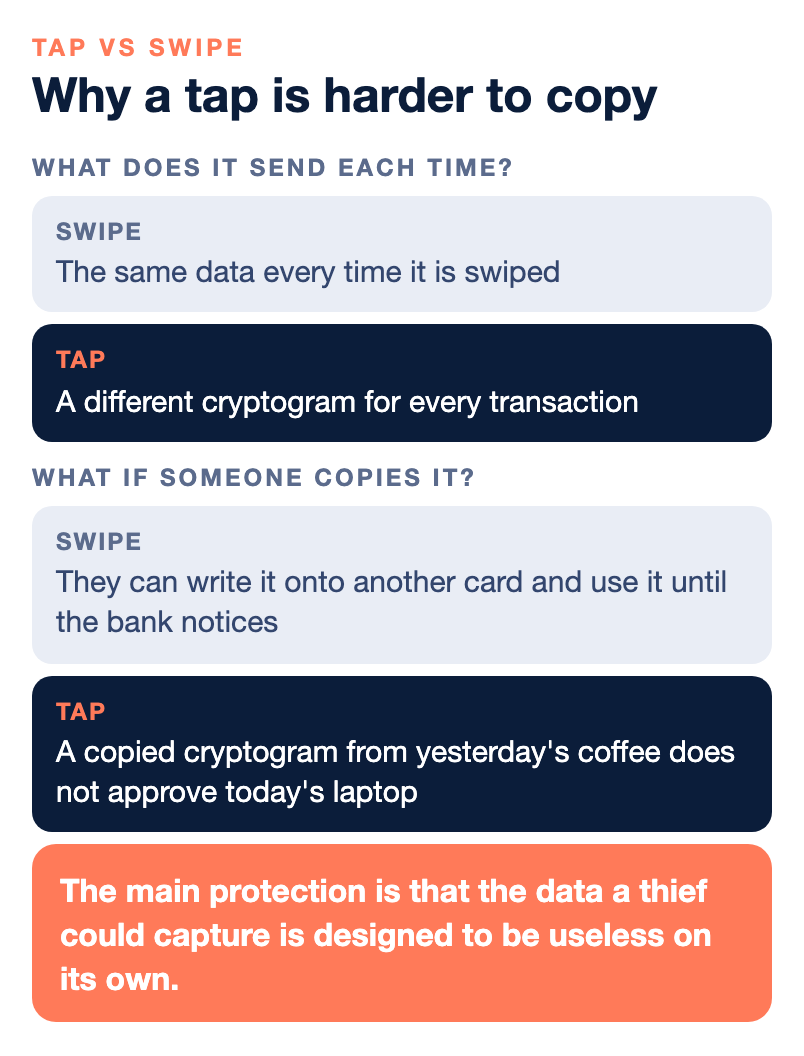
The short range also helps, though it is not the main protection. The main protection is that the data a thief could capture is designed to be useless on its own.
What happens to card data after it leaves your terminal
Security does not end at the tap. Two protections matter after the data leaves the reader.
Encryption from the terminal onward. Many modern terminals encrypt card data inside the device the moment it is read, so it stays unreadable as it moves through your network to the processor. Ask your provider whether your terminals do this and whether the solution is validated, because it can reduce your exposure and simplify parts of your security review.
Tokenization for what you keep. After the sale, your POS or gateway usually stores a token, a substitute value, rather than the card number. You can use the token for refunds or, with the customer’s permission, repeat billing, without holding the real number in your systems. This is also why your receipts and reports show only the last four digits.
You still have security duties as a merchant. Every business that accepts cards has to meet the PCI Data Security Standard, usually by completing an annual questionnaire, and skipping it can bring non-compliance fees. Our article on junk fees and PCI compliance explains what to watch for.
What this means for you at the counter
- Check that your terminal is contactless-ready. Look for the contactless symbol on the device. If it is missing, the terminal cannot accept taps or phone wallets.
- Make sure wallets are turned on. The terminal, the software and your processor all have to support Apple Pay, Google Wallet and contactless cards. Our guide on how to accept Apple Pay and Google Wallet walks through the setup.
- Train staff on what a good tap looks like. The customer holds the card or phone flat near the symbol until the terminal confirms. Most failed taps are held too far away or pulled too soon.
- Expect the occasional insert request. If the terminal asks for a chip insert or a PIN, follow it. The issuing bank is asking for an extra check.
- Do not write down card numbers. With taps, chip, tokens and payment links available, there is no reason to keep card numbers on paper.
Accepting phone wallets usually does not change your processing cost. In most cases, wallet payments are priced the same as other card-present transactions. Confirm with your provider, since pricing depends on your agreement.
Where tap to pay fits in your wider setup
Tap to pay covers in-person sales. Many businesses also take payments by phone, online and by invoice, and each of those runs on different technology with different risks. A virtual terminal handles card payments you key in for phone orders, and payment links let a customer enter their own card details on a secure page instead of reading them aloud. Our explainer on what a merchant account is covers how these pieces fit under one account.
Where NPS fits, and where it does not
Every terminal and POS we sell accepts contactless payments, including tap cards, Apple Pay and Google Wallet, along with chip cards. We also offer mobile readers that take chip, tap and phone wallets, and NPSONE Smart Invoicing, which lets customers pay invoices through secure payment links. We offer 24/7 live support and a dedicated account manager, and we can check whether your current equipment is contactless-ready.
We may not be the right fit if:
- You want a free app with instant sign-up and no underwriting. We underwrite each merchant account.
- You only sell a few items a year. A very low-volume seller may be better served by a simpler product.
- You are choosing only on the lowest advertised flat rate. We price each merchant individually.
Bottom line
A tap is a short, tightly designed radio conversation. The terminal’s field powers the chip, the chip proves it is genuine with a one-time code, and the terminal sends that code, an account number and the sale details to your processor and on to the issuing bank. The chip’s secret keys never leave it, phone wallets keep the real card number out of your terminal, and good terminals encrypt what they read before it travels. Your part is a contactless-ready terminal, wallets switched on, encryption and tokenization in place, PCI kept current and a team that knows how a good tap should look.
If you want us to check your terminals or your setup, you can talk with our team. For more guides, see our payments guides.
Frequently asked questions
How does tap to pay work?
The terminal’s antenna creates a short-range radio field using near-field communication. The chip in the card or phone powers up in that field, exchanges data with the terminal and produces a one-time code for that purchase. The terminal then sends the request to your processor and the issuing bank for approval.
Does a contactless card have a battery?
No. The terminal’s radio field gives the card’s antenna enough energy to power the chip for the moment the exchange takes. That is why a contactless card keeps working for its whole life without charging.
What data does a contactless payment send?
The terminal typically sends an account number, the expiration date, a one-time cryptogram and the transaction details to your processor. For phone wallets, the account number is a device-specific stand-in rather than the real card number. The chip’s secret keys never leave the card or phone.
Is tap to pay safer than swiping?
Generally, yes. A swiped stripe gives the same data every time, while a tapped chip creates a new code for each transaction. A copied code from one purchase will not approve another.
Does Apple Pay send the customer’s card number to the merchant?
Apple says that for in-store payments, neither Apple nor the device sends the actual card number. The phone sends a device account number and a transaction-specific dynamic security code. The issuing bank checks that code before approving.
Why does a terminal sometimes ask for a PIN or chip insert after a tap?
For larger amounts, or when the issuing bank wants an extra check, the terminal may ask for a PIN or a chip insert. This is a normal step. Follow the prompt and complete the sale.
Do mobile wallet payments cost more to accept?
In most cases, Apple Pay and Google Wallet payments are priced the same as other card-present transactions. Pricing depends on your agreement, so confirm with your provider.
How do I know if my terminal accepts tap to pay?
Look for the contactless symbol, four curved lines, on the device. Your processor also has to support wallets and contactless cards. If you are unsure, ask your provider to check your equipment.