If you do not know yet how your business will grow, choose the point-of-sale system you can leave most easily, not the one with the longest feature list. Growth paths are hard to predict, but the costs of a wrong guess are easy to see in advance: data you cannot export, hardware that only works with one processor, and a contract that outlasts the plan. Below we explain how to judge a POS by how well it bends, which growth paths change what you need, and the questions that tell you whether you are buying flexibility or a trap.
The short answer
- Buy for the next 12 to 18 months, not for the dream. Pay for what you will use this year, and make sure the system has a clear upgrade path for the next step you can actually see.
- Check the exits before the features. Ask whether you can export your products, customers and sales history, whether the hardware works with another processor, and what it costs to leave.
- Keep the POS and the processor separable if you can. A system that only runs on one payment company ties two decisions together, so a pricing problem becomes a software problem too.
- Know your next growth path. More products, a second location, online sales, wholesale accounts and more staff each stress a different part of the system. You only need to plan for the one or two you are most likely to hit first.
- Get every answer in writing. Item limits, contract length, equipment terms and support hours are the things owners remember differently from the salesperson a year later.
Who wrote this
Nationwide Payment Systems (NPS) publishes this guide. We have worked with merchants since 2001, and we sell POS systems and merchant accounts, so we are a seller here. We are not locked into a single product line, which is part of why we think about this question the way we do. Nothing below depends on buying from us, and we say plainly where we are the wrong fit.
Why “pick one that scales” is not enough advice
Every POS brochure says the system grows with you. That sentence is true of almost every product on the market, and it tells you nothing, because “scale” means different things to a coffee cart, a boutique that wants a second store and a parts supplier that starts selling to contractors on account. A system that handles ten registers beautifully may still be the wrong one for a business whose real growth turns out to be online orders or invoices.
The better question is narrower. When your business changes in the way it is most likely to change, what will you have to replace, what will you have to move, and what will it cost you to do it? A POS that is easy to extend or easy to leave protects you against a wrong guess. A POS that is hard to leave forces you to be right about the future on the day you sign, which is exactly the day you know the least.
Our guide on how to choose the right retail POS system covers the core features a store needs today. This article is about the other half of the decision: how to buy when tomorrow is a question mark.
The five growth paths, and what each one asks of a POS
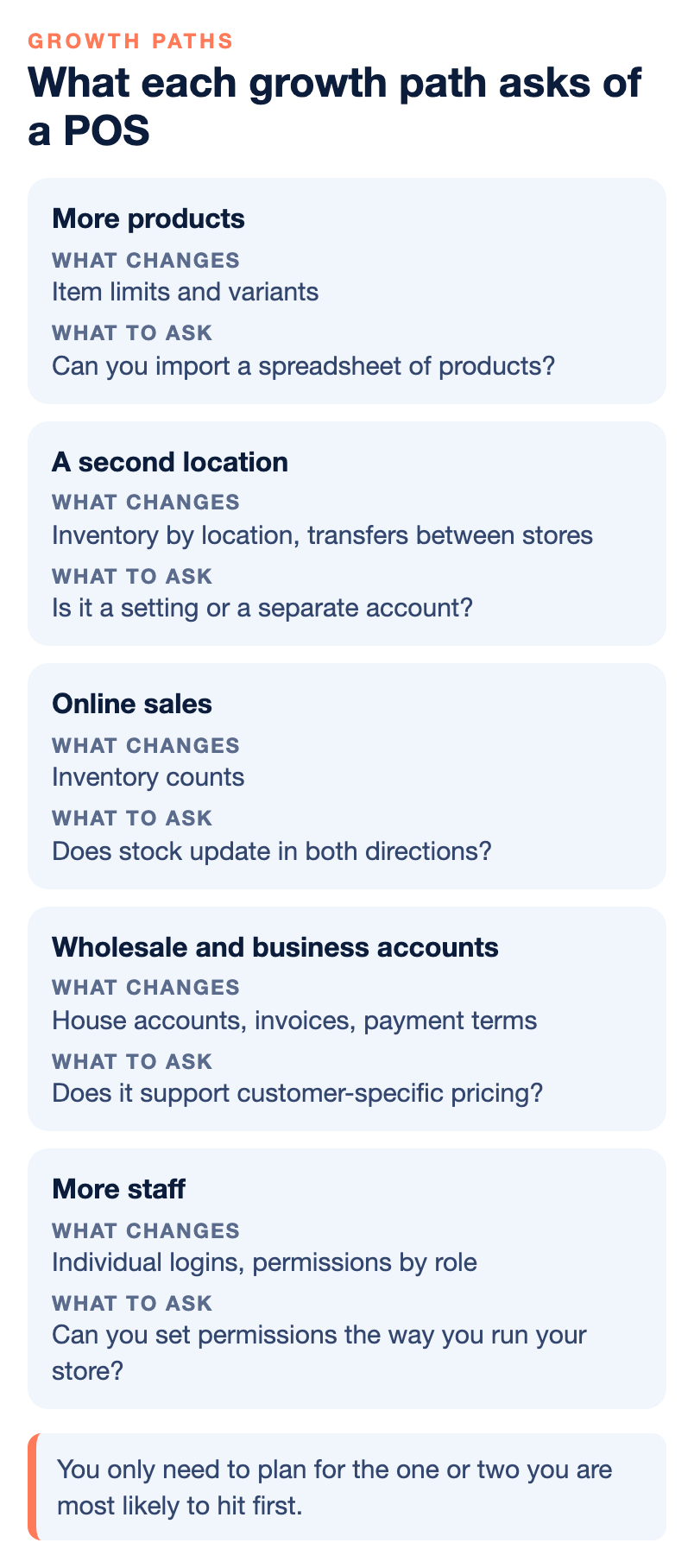
Most small businesses grow in one of five ways, and usually in more than one at once over time. You do not need a system that is perfect at all five. You need to know which one you are most likely to hit first and confirm the system can handle that one without a replacement.
1. More products
A store that starts with a few hundred items can end up with thousands, especially once you add variants such as sizes, colors, flavors or pack counts. Item limits are real, and they are rarely printed on the first page of a quote. Ask how many items the system holds, how it handles variants under one product, whether you can import a spreadsheet of products rather than typing them in, and how fast search stays when the catalog is large. For context, we describe our own small-retail POS bundle as suited to retailers with up to about 8,000 products, and we point larger inventories to a bigger system such as NCR Counterpoint, which has no item limit. Other systems draw the line in other places, so ask each one where its line is.
2. A second location
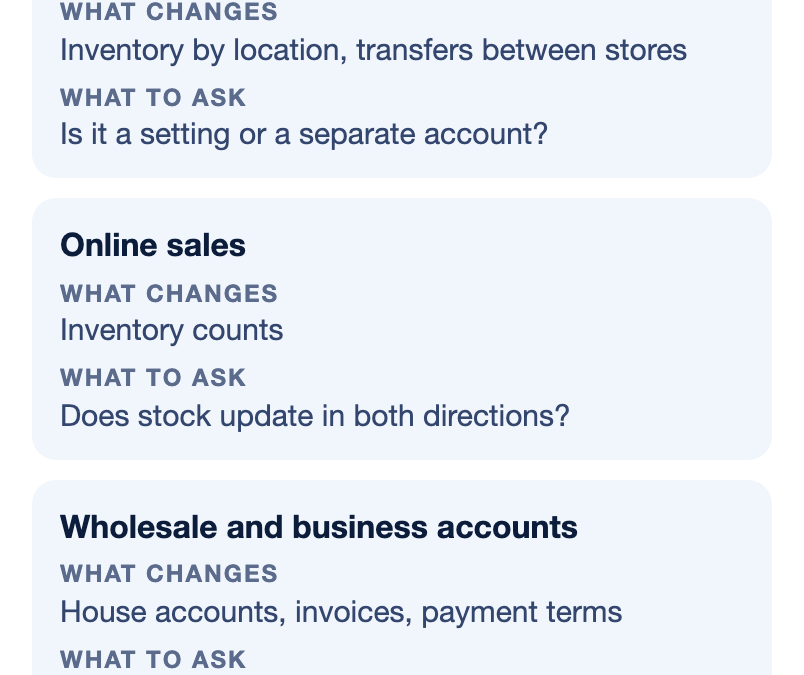
A second store changes the job of the POS. You now need inventory by location, transfers between stores, pricing that can differ by store if you want it to, reports you can read side by side, and user permissions so a manager at one store cannot change the other. Ask whether a second location is a setting you turn on or a separate account you pay for and manage on its own. If it is a separate account, find out whether the two will ever share a product list and customer list, because keeping two catalogs in sync by hand is the kind of chore that quietly eats a manager’s week.
3. Online sales
Many owners open a store first and add a website later. When that day comes, the hard part is inventory. If the website and the register keep separate counts, you will sell the last unit twice. Ask whether the POS connects to an online store, which platforms it supports, and whether stock updates in both directions. Online sales also change your payment setup, because card-not-present transactions are underwritten and priced differently from in-person ones. Tell your processor before you launch the site, not after the first big week.
4. Wholesale and business accounts
Some retailers find their best growth in selling to other businesses: contractors, restaurants, schools, other shops. That brings house accounts, invoices, payment terms, tax-exempt customers and larger tickets. A register-only system often handles none of that well. Ask whether the POS supports house accounts and customer-specific pricing, and whether it connects to invoicing and ACH. If business buyers pay with commercial cards, ask whether your setup can pass the extra transaction data, often called Level 2 and Level 3 data, that can qualify those sales for lower card costs.
5. More staff
One owner behind a counter can run almost any system. Ten employees across two shifts need individual logins, permissions by role, time tracking or an export to payroll, and reports that show voids, discounts and refunds by person. Ask to see how permissions work on a demo. The question is not whether the system has permissions, since nearly all do, but whether you can set them the way you actually run your store without calling support every time.
The exits: what to check before you check features
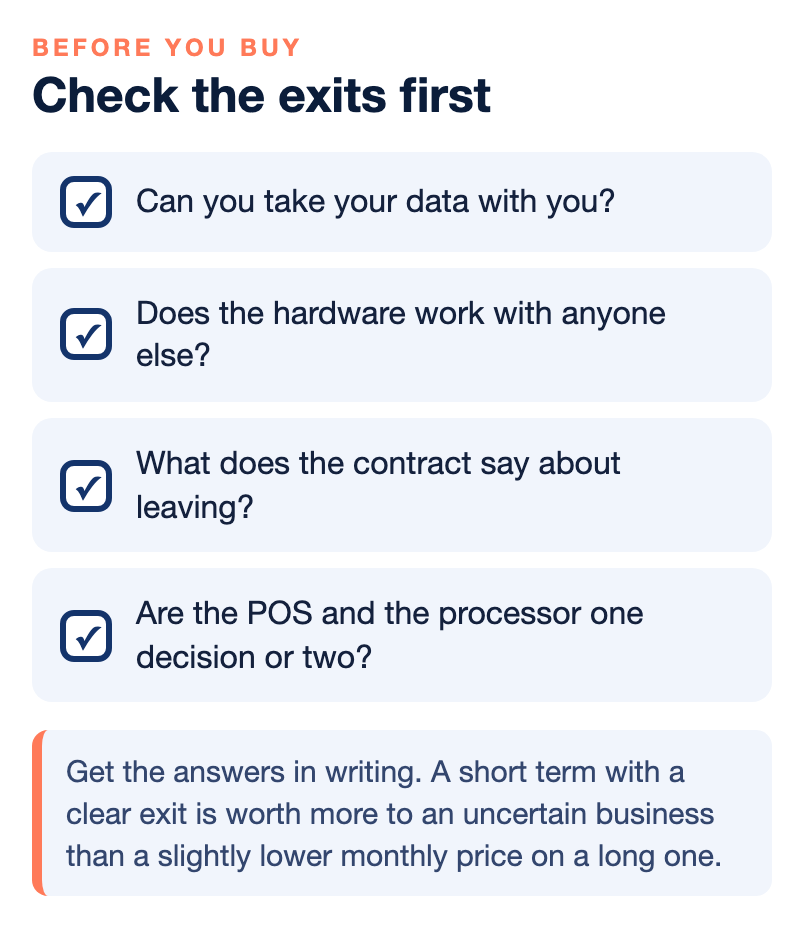
This is the part of the decision most owners skip, because nobody plans to leave a system they have not bought yet. It is also the part that decides how much a wrong guess costs you. Ask these four questions and get the answers in writing.
Can you take your data with you?
Your product list, your customer list and your sales history belong to your business, but whether you can get them out in a usable form depends on the system. Ask whether you can export products, customers and transactions to a spreadsheet at any time, whether that export includes variants and categories, and whether there is a fee for it. A system that lets you export your catalog in a few minutes makes the next move far less painful.
Does the hardware work with anyone else?
Some POS hardware only works with one processor. If you later want to change processors to fix your fees or your support, you may have to replace every terminal and register at the same time. Ask whether the card readers and terminals are tied to a single payment company, and whether you own the equipment, lease it or rent it as a service. Each of those can make sense. Owning hardware that only one company can use is the combination to watch.
What does the contract say about leaving?
Read three things: the term, the renewal and the exit. How long is the agreement, does it renew on its own, and what happens if you cancel early? Ask whether there is an early termination fee, whether equipment has to be returned or paid off, and whether software and processing are on the same contract. A short term with a clear exit is worth more to an uncertain business than a slightly lower monthly price on a long one.
Are the POS and the processor one decision or two?
When the POS and the payment processor are bundled so tightly that neither works without the other, every future change is a double change. That is not always bad. A bundle can mean one support line and one bill, which many owners prefer. The question is whether you understand the trade before you sign. If you want to keep the option of changing processors later, ask whether the POS works with more than one processor, and confirm that answer with the processor you might move to.
Cloud, server or hybrid, when you are not sure
You will be asked whether you want a cloud-based system, a server-based system or a hybrid. For an uncertain business, the practical questions matter more than the labels. What happens when the internet goes down in the middle of a Saturday? Can you still ring up sales and take cards, and do those sales sync later? Can you check sales and inventory from your phone when you are not in the store? Who handles updates and backups, and is that included or extra?
Cloud systems are usually quicker to start and easier to reach from anywhere. Server-based and hybrid systems are common in larger, more complex retail, where heavy inventory, many registers and deep reporting justify the setup. Neither is the right answer for everyone. Ask how each system behaves offline, because that is the failure you will actually live through.
How to buy for now without boxing in later
Once you know your most likely growth path and you have checked the exits, the purchase itself gets simpler. These habits help.
- Start with fewer registers than you think you need. Adding a station later is usually easy. Paying for idle ones for a year is not.
- Pay monthly for software when you can. A monthly plan lets you change course. A large upfront license commits you to the guess.
- Look at hardware as a service. Some providers, including NPS, offer hardware for a predictable monthly fee instead of a large upfront purchase. Ask what happens to the equipment if you upgrade or leave.
- Set up your catalog cleanly from day one. Consistent product names, categories and barcodes make every later move, export or integration easier.
- Write down your trigger points. Decide now what would make you upgrade: a product count, a second store, an online launch. Then you will know when it is time instead of feeling it a year late.
Our 20-question checklist for choosing an SMB retail POS is a good companion to this list when you sit down with quotes.
Do not forget the payment side
A POS is only half the setup. The other half is the merchant account underneath it, and growth changes that half too. More volume, larger tickets, online sales and business customers each change how a processor looks at your account and what you pay. If you are new to this, our explainer on what a merchant account is covers the basics.
Two practical points matter most for a business that expects to change. First, tell your processor about big changes before they happen, such as a website launch or a jump in volume, so the account is set up for what you are actually doing. Second, compare pricing models with your real numbers. A flat rate is simple and often fine at the start. As volume grows, many businesses look at interchange-plus pricing, where the card costs and the markup are shown separately. Our comparison of payment processors by business type walks through the main options without quoting anyone’s rates.
Where NPS fits, and where it does not
We sell a small-retail POS bundle that includes a touchscreen for the cashier, a customer-facing screen, a card reader, a barcode scanner, a receipt printer and a cash drawer, and we pair it with a merchant account. For larger and more complex retail, such as many locations or very large catalogs, we implement and support NCR Counterpoint, which offers multi-location inventory, an open API and e-commerce integration, and which our team installs in person with on-site training. We offer 24/7 live support and a dedicated account manager, and we can price with dual pricing, flat-rate or cost-plus options depending on the business.
We may not be the right choice if:
- You are a hobby seller or side project with very low volume. A simple app with built-in processing may suit you better.
- You want instant, self-service sign-up. We underwrite each merchant account, so we are not an instant-approval product.
- You are choosing only on the lowest advertised flat rate. We price each merchant individually and do not publish one universal rate.
- You do not need support, integrations, invoicing or ACH. If a basic register is all you will ever need, a simpler product may be enough.
If you outgrow a small system, our page on NCR Counterpoint POS explains what the larger option looks like.
Bottom line
When the future is unclear, the safest POS is the one that makes a wrong guess cheap. Buy what you need for the next year, check that the system can handle the one growth path you are most likely to hit first, and confirm before you sign that you can take your data, your hardware choices and your processor decision with you. A system that is easy to extend or easy to leave beats a system that is impressive on the demo and painful in year two.
If you want a second opinion on a quote or a contract, you can talk with our team, and if another setup suits you better we will say so. For more guides like this one, see our payments guides.
Frequently asked questions
How do I choose a POS system if I don’t know how my business will grow?
Buy for the next 12 to 18 months and check how easy the system is to extend or leave. Confirm you can export your data, that the hardware is not tied to one processor, and that the contract has a clear exit. Then make sure it handles the one growth path you are most likely to hit first.
What does it mean for a POS to scale?
It means the system can handle more of something without being replaced, such as more products, more locations, more staff or online sales. Every system scales in some directions better than others. Ask which kind of growth the system handles well and get the limits in writing.
Can I export my data if I switch POS systems?
It depends on the system. Ask before you buy whether you can export products, customers and sales history to a spreadsheet at any time, whether variants and categories come with it, and whether there is a fee. A clean export makes a future move much easier.
Should my POS and payment processor be the same company?
It can be convenient, with one bill and one support line. The trade is that changing one may mean changing both. If you want the option to switch processors later, ask whether the POS works with more than one processor and whether the hardware does too.
Is it better to buy or rent POS hardware?
Either can work. Buying can cost less over time if you keep the system for years, while renting or hardware as a service keeps upfront cost low and makes upgrades easier. Ask what happens to the equipment if you upgrade, switch processors or leave.
Is a cloud-based POS better for a new business?
Cloud systems are usually quick to start and easy to check from anywhere, which suits many new businesses. Larger retailers with heavy inventory sometimes prefer server-based or hybrid systems. Whatever you choose, ask how the system works when the internet goes down.
When should a small business upgrade its POS?
Set trigger points in advance, such as a product count, a second location or an online store launch. When you hit one, review whether the current system still fits. Writing these down early helps you upgrade on time rather than a year late.