Nationwide Payment Systems
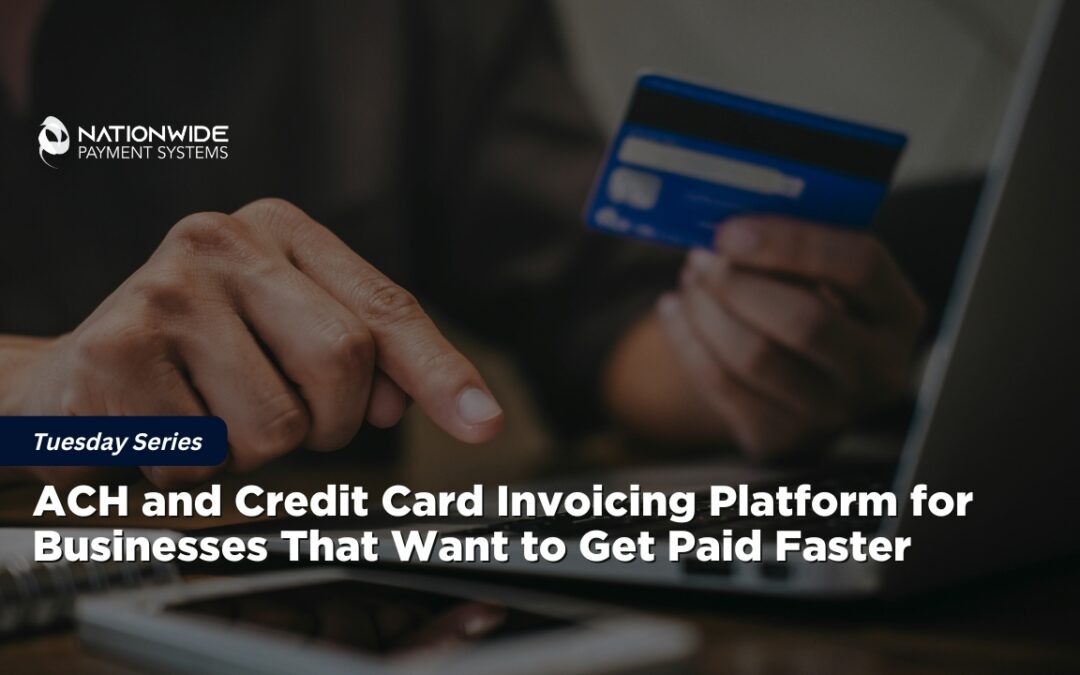
ACH and Credit Card Invoicing Platform for Businesses That Want to Get Paid Faster
NPSONE Smart Invoicing helps businesses send invoices, accept ACH and credit card payments, create payment links, manage recurring billing, and sync with QuickBooks Online.
Presented by Allen Kopelman, CEO — Nationwide Payment Systems-Host of B2B Vault: The Biz2Biz Podcast
AI OVERVIEW
If your business is still waiting on paper checks, chasing down clients for credit card numbers, manually sending reminders, or balancing books by hand, your current invoicing framework is draining your revenue. To scale smoothly, modern enterprises need an integrated, secure workflow. They need a single engine that deploys invoices, routes ACH bank transfers, processes credit cards, generates digital payment links, manages recurring sub-ledger cycles, and keeps core accounting applications updated automatically.
If your business is still waiting on checks, chasing customers for payment, manually sending reminders, or reconciling payments by hand, your invoicing process may be costing you more than you realize.
Today’s businesses need more than a basic invoice.
They need a way to send invoices, accept ACH payments, take credit cards, create payment links, store payment methods securely, manage recurring billing, and keep their accounting system updated without turning the back office into a full-time job.
That is where an ACH and credit card invoicing platform becomes a serious business tool.
For many companies, the problem is not that customers do not want to pay. The problem is that the payment process is too slow, too manual, too disconnected, or too limited.
Nationwide Payment Systems built NPSONE Smart Invoicing to help businesses simplify how they get paid.
Instead of using one tool for invoicing, another for ACH, another for card payments, another for payment links, another gateway, and another system for QuickBooks reconciliation, NPSONE Smart Invoicing brings the workflow together.
The result?
Faster payments.
Better cash flow.
Less manual follow-up.
More payment options for customers.
A cleaner accounts receivable process.
And for business owners, that means fewer headaches.
sponsored by

What Is an ACH and Credit Card Invoicing Platform?
An ACH and credit card invoicing platform allows a business to send invoices and give customers multiple ways to pay online.
Instead of mailing checks, calling in card numbers, or manually processing payments, customers can open an invoice and pay using:
- ACH bank transfer.
- Credit card
- Debit card
- Payment link
- QR code
- Stored payment method
- Recurring billing authorization
The best platforms also include tools like customer portals, branded payment pages, automated reminders, reporting, and accounting software integration.
For businesses using QuickBooks Online, a strong invoicing platform should also help reduce duplicate data entry and make reconciliation easier.
That is the key difference between basic invoicing and smart invoicing.
Basic invoicing sends a bill.
Smart invoicing helps you collect, track, reconcile, and manage payments from one connected workflow.
Why Traditional Invoicing Slows Businesses Down
Many businesses still use invoicing processes that were built for a slower world.
They send an invoice, wait for the customer to receive it, hope the customer remembers to pay it, follow up manually, wait for a check, deposit the check, then reconcile the payment later.
That might have worked years ago.
But in today’s business environment, that delay can create real cash flow problems.
Here is what usually goes wrong:
Customers take too long to pay.
When customers have to print a check, mail a check, call someone, or ask for payment instructions, payment gets delayed.
A simple payment link can remove that friction.
Staff spends too much time chasing payments.
Every unpaid invoice creates follow-up work.
That means phone calls, emails, reminders, updated statements, and manual notes.
Reconciliation becomes messy.
If invoices are in one system, payments are in another, and deposits are somewhere else, your team may spend hours matching everything up.
Payment options are limited.
Some customers want to pay by ACH. Others want to use a credit card. Some want to keep a card on file. Some want recurring billing.
If you do not offer flexible payment options, you may be making it harder for customers to pay you.
Cash flow becomes unpredictable.
The longer it takes to collect, the harder it is to manage payroll, inventory, vendor payments, taxes, and growth.
This is why the payment process is not just a back-office issue.
It is a business growth issue.
Why ACH Payments Matter for Invoicing
ACH payments allow customers to pay directly from their bank account.
For many businesses, ACH is one of the most useful payment options because it can be a lower-cost alternative to credit cards, especially for larger invoices, recurring payments, rent, dues, subscriptions, retainers, professional services, and B2B payments.
ACH works especially well for:
- B2B invoices
- Professional services
- Contractors
- Property managers
- Law firms
- Accounting firms
- Medical offices
- Nonprofits
- Membership organizations
- Wholesalers
- Distributors
- Recurring billing businesses
When a customer pays by ACH, the business avoids the friction of paper checks and gives the customer an easy electronic payment option.
For larger invoices, ACH can be a smart way to reduce payment acceptance costs while still making it simple for customers to pay online.
Why Credit Card Payments Still Matter
ACH is powerful, but credit cards are still important.
Many customers prefer cards because they offer convenience, rewards, float, purchase tracking, and internal expense controls.
For B2B customers, using a card can help them manage cash flow while allowing your business to get paid faster.
That is why the best invoicing platforms should not force a business to choose between ACH and credit cards.
You should be able to offer both.
When customers receive an invoice, they should be able to choose the payment method that works best for them.
That flexibility can improve collection rates and reduce excuses.
Because the easier you make it to pay, the faster people tend to pay.
ACH vs. Credit Card Invoicing: Which Is Better?
The real answer is your business should offer both when possible.
ACH and credit cards solve different problems.
ACH can be ideal for larger payments, recurring payments, B2B invoices, and customers who prefer bank transfers.
Credit cards can be ideal for faster authorization, customer convenience, rewards, emergency payments, and situations where the customer wants to finance the payment through their own card.
A strong invoicing platform gives your customer options while giving your business more control.
Here is a simple way to think about it:
|
Payment Type |
Best For |
Business Benefit |
|
ACH |
Larger invoices, recurring payments, B2B payments |
Lower-cost electronic payment option |
|
Credit Card |
Fast payment, convenience, customer rewards, emergency payments |
Faster authorization and easier customer checkout |
|
Payment Link |
Simple one-click payment experience |
Reduces friction and speeds up collections |
|
Recurring Billing |
Subscriptions, retainers, memberships, rent, dues |
Automates repeat payments |
|
Customer Portal |
Businesses with repeat customers |
Customers can view and pay invoices online |
The point is not to push every customer into one method.
The point is to make payment easier while improving your company’s cash flow.
Meet NPSONE Smart Invoicing
NPSONE Smart Invoicing from Nationwide Payment Systems is designed for businesses that want a smarter way to send invoices, accept payments, and manage collections.
It combines the tools many businesses are currently patching together into one connected payment workflow.
With NPSONE Smart Invoicing, businesses can use:
- Merchant account services
- ACH payment processing.
- Credit card processing.
- Payment gateway tools
- Online invoicing
- Payment links
- QR code payments
- Customer payment portal
- Recurring billing
- Payment-on-file options
- QuickBooks Online sync
- Unlimited users under one SaaS platform
- API and webhook options for integrations
Instead of treating invoicing and payments as separate systems, NPSONE Smart Invoicing helps bring them together.
That is a major advantage for businesses that want to collect faster and reduce manual work.
Book a Demo of NPSONE Smart Invoicing
If your business sends invoices and wants an easier way to accept ACH and credit card payments, Nationwide Payment Systems can help.
Book a Payment Strategy Call and we’ll review your current invoicing and payment process, talk through your needs, and show you whether NPSONE Smart Invoicing is a fit.
Primary CTA Button:
Book a Payment Strategy Call
Secondary CTA Button:
Request a Demo of NPSONE Smart Invoicing
Who Should Use an ACH and Credit Card Invoicing Platform?
An ACH and credit card invoicing platform is valuable for almost any business that sends invoices, but it is especially useful for companies that deal with repeat customers, larger invoices, subscriptions, B2B payments, or manual accounts receivable.
Here are some of the best use cases.
B2B Companies
B2B companies often deal with larger invoice amounts, payment terms, purchase orders, multiple approvers, and recurring customers.
A smart invoicing platform can help B2B companies:
- Send invoices faster.
- Offer ACH and card payment options.
- Reduce paper checks.
- Improve cash flow.
- Support Level 2 and Level 3 payment data
- Give customers a simple online payment experience.
- Reduce manual follow-up.
For B2B companies, payment processing is not just about accepting cards.
It is about managing the invoice-to-cash cycle.
Professional Services
Law firms, accounting firms, consultants, marketing agencies, and other professional service businesses often rely on retainers, invoices, deposits, and recurring payments.
NPSONE Smart Invoicing can help professional service firms:
- Send branded invoices.
- Accept ACH payments.
- Accept credit cards.
- Store payment methods.
- Manage recurring billing.
- Reduce late payments.
- Sync payment activity with QuickBooks Online
For service businesses, faster collections can make a major difference in monthly cash flow.
Contractors and Field Service Businesses
HVAC companies, plumbers, electricians, roofers, repair companies, and contractors need simple ways to collect deposits, progress payments, final invoices, and recurring service agreements.
With payment links and QR codes, customers can pay quickly from their phone.
That means less time chasing payments and more time running the business.
Property Managers and Landlords
Property managers often need ACH, card payments, recurring billing, tenant payment links, and customer portals.
Smart invoicing can support:
- Rent payments.
- Maintenance invoices
- Deposits
- Recurring charges
- Late payment tracking
- Tenant payment history
- ACH and card acceptance.
The easier it is for tenants or customers to pay, the easier it becomes to manage collections.
Wholesalers and Distributors
Wholesalers and distributors often deal with repeat customers, large invoices, and B2B payment terms.
An ACH and credit card invoicing platform can help them reduce check payments, speed up collections, and provide better online payment options to their customers.
For larger B2B invoices, ACH can be especially useful.
For customers who want to pay by card, credit card acceptance keeps the sale moving.
Nonprofits and Organizations
Nonprofits, schools, clubs, associations, and community organizations need simple ways to collect payments and donations.
NPSONE Smart Invoicing can support:
- Donation payment links
- Event payments
- Tuition payments
- Membership dues
- Recurring donations
- Customer or donor payment portal
- ACH and credit card options.
For nonprofits, payment simplicity can directly impact donation volume and donor experience.
Why Payment Links Are So Important
Payment links are one of the simplest ways to speed up collections.
Instead of asking a customer to call, mail a check, or manually enter details somewhere else, you send them a secure link.
They click.
They pay.
You get notified.
Payment links can be used in:
- Invoices
- Emails
- Text messages
- Statements
- Websites
- QR codes
- Customer portals
- Recurring payment setup pages
A payment link makes the invoice actionable.
That is a big deal.
Because an invoice without an easy payment option is just a request.
An invoice with a payment link is a checkout experience.
Why QuickBooks Online Sync Matters
Many businesses use QuickBooks Online as their accounting system.
The problem is that payments often happen outside of QuickBooks, which can create extra work for bookkeeping and reconciliation.
A smart invoicing platform should help reduce this friction.
With NPSONE Smart Invoicing, businesses can connect invoicing and payments with QuickBooks Online, so payment activity is easier to manage.
That helps reduce:
- Duplicate entry
- Manual reconciliation
- Missed payments.
- Confusing deposit matching
- Back-office delays
For business owners, this means better visibility.
For bookkeepers, it means less cleanup.
For customers, it means a smoother payment experience.
Why Businesses Outgrow Basic Invoicing Tools
Many businesses start with whatever tool is easiest.
Maybe they use QuickBooks Payments.
Maybe they use Stripe.
Maybe they use PayPal.
Maybe they use Square.
Maybe they send invoices manually.
That can work in the beginning.
But as the business grows, the payment process often gets more complicated.
You may need:
- ACH and card acceptance.
- Better pricing options
- Recurring billing
- Multiple users
- Customer portals
- Payment links
- Branded payment pages
- Gateway flexibility
- Human support
- High-risk merchant account options
- Better underwriting guidance
- QuickBooks sync
- API and webhook options
At that point, the business needs more than a simple payment button.
It needs a payment infrastructure partner.
That is where Nationwide Payment Systems comes in.
Do Not Be the Bank for Your Customers
One of the biggest mistakes businesses make is giving customers too much time to pay without offering easy payment options.
If your business sends invoices and waits 15, 30, 45, or 60 days to get paid, you are helping finance your customer’s business.
That may be normal in some industries, but it can crush your cash flow.
A smarter strategy is to make payment easy upfront.
Send the invoice.
Include ACH.
Include card options.
Include a payment link.
Offer recurring billing when appropriate.
Let the customer use their own bank or card to manage their cash flow.
Your business should not have to act like a lender just because your invoicing process is outdated.
What to Look For in an ACH and Credit Card Invoicing Platform
Before choosing an invoicing platform, business owners should look beyond the surface.
Do not just ask, “Can it send invoices?”
Ask whether it can support the way your business actually gets paid.
Here are the most important features to look for.
-
ACH Payment Acceptance
ACH should be built into the platform, not treated like an afterthought.
This is especially important for larger invoices and recurring payments.
-
Credit Card Processing
Customers should be able to pay by credit card or debit card through a secure payment page.
-
Payment Links
Payment links should be easy to create, send, track, and reuse.
This helps businesses collect faster without needing a complicated checkout setup.
-
Branded Invoices
Your invoices should look like they came from your business, not from a generic payment processor.
Brand trust matters.
-
Customer Payment Portal
A customer portal allows customers to view invoices, track payments, and manage payment activity.
This can reduce support calls and make repeat payments easier.
-
Recurring Billing
If your business bills customers weekly, monthly, quarterly, or annually, recurring billing should be simple.
This is essential for subscriptions, retainers, memberships, rent, service contracts, and donation programs.
-
Payment-on-File
Payment-on-file can make repeat billing easier for approved customers.
This is useful for service businesses, B2B accounts, memberships, and recurring customer relationships.
-
QuickBooks Online Sync
If your business uses QuickBooks Online, payment sync can help reduce manual work and improve accounting accuracy.
-
Merchant Account Support
A real merchant account relationship can matter, especially as your business grows.
Many businesses need more than self-service support.
They need a payment partner who understands underwriting, risk, chargebacks, reserves, pricing, and gateway options.
-
Human Support
When payments break, cash flow breaks.
That is why support matters.
A serious business should not have to rely only on chatbots or ticket queues when payment issues affect revenue.
Why Choose Nationwide Payment Systems?
Nationwide Payment Systems helps businesses build smarter payment workflows.
We are not just here to give you a terminal or a basic payment button.
We help businesses evaluate how they accept payments, how they invoice customers, how they manage ACH and credit cards, how they reduce manual work, and how they improve cash flow.
With NPSONE Smart Invoicing, we help businesses combine the tools they need into a more complete payment platform.
That includes:
- Merchant services
- ACH processing.
- Credit card processing.
- Payment gateway tools
- Smart invoicing
- Payment links
- Recurring billing
- QuickBooks Online sync
- Customer payment portal
- API and webhook support
- Human guidance from a payments team
Whether you are a B2B company, service business, property manager, nonprofit, contractor, wholesaler, distributor, or professional firm, we can help you build a better way to get paid.
Stop Chasing Payments. Start Collecting Smarter.
If your business is still using disconnected systems for invoicing, ACH, credit cards, payment links, and QuickBooks, it may be time to upgrade.
NPSONE Smart Invoicing gives businesses a smarter way to send invoices, accept payments, and manage collections.
You do not need five different tools to get paid.
You need one connected workflow built around how your business actually operates.
Ready to See How NPSONE Smart Invoicing Works?
Nationwide Payment Systems can review your current invoicing and payment setup and show you how NPSONE Smart Invoicing may help your business collect faster, reduce manual work, and improve customer payment experience.
Book a Payment Strategy Call today.
Or request a demo of NPSONE Smart Invoicing and see how ACH, credit cards, invoicing, payment links, recurring billing, and QuickBooks Online sync can work together.